Acme Lease demo website
This guide covers info about the Prepr CMS - Next.js demo website based on a fictional car leasing company, Acme Lease.
Prerequisites
You need to have the following setup before you clone, run and deploy this website from the GitHub repo .
- A free Prepr account with an environment with demo data
About the Acme Lease Demo
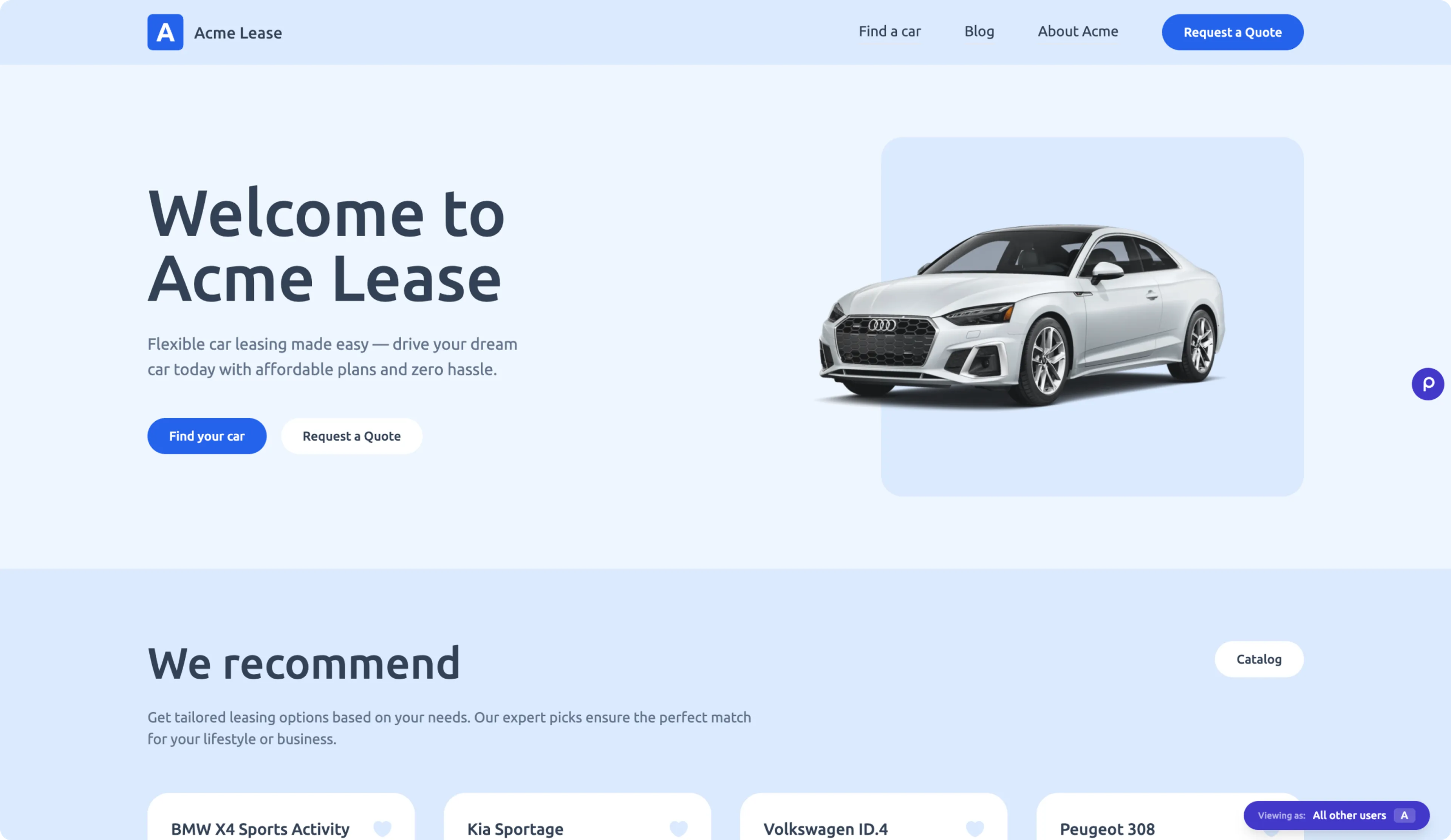
This demo website is a real-world example built for Acme Lease, a fictional car leasing company. It serves as a functional showcase of how to implement a staging website with Next.js and Prepr CMS including a personalized home page and conversion-focused landing pages.
Under the hood, the project leverages the following tech stack designed for speed and scalability:
- Prepr CMS
- Next.js
- Apollo Client
- Prepr Toolkit
Beyond dynamically rendered content, the demo website highlights Prepr’s key marketing features. You can explore personalized pages tailored to visitor behavior and observe active A/B tests designed to optimize conversion rates. The site includes an accessible Prepr icon, granting instant access to preview options and experiment testing, to make sure every update is perfect before it goes live.
Features
The Acme Lease demo website includes the following Prepr CMS features:
Dynamic content
The Dynamic content field is a flexible editor designed for rich storytelling. It allows editors to mix and match various elements, such as structured text, headings, tables, embedded assets and components. It’s commonly used for blog articles where you need to intersperse text with images, videos or social media embeds.
The Acme Lease demo website gives you an example on how to render various dynamic content elements to display blog posts.
Adaptive content
The core personalization engine in Prepr CMS allows marketers to create adaptive content. Marketers can create multiple versions of a content element tailored to specific visitor segments, like Electric Car Lovers. Instead of a “one-size-fits-all” approach, the CMS automatically serves the most relevant content variant in real-time based on visitor behavior, location, or data from external CRMs.
Explore how we enable the Prepr tracking pixel to show adaptive content to the right segments, like the personalized home page. The relevant components of the page include HTML attributes to trigger Prepr to calculate metrics for each personalized variant.
A/B tests
The A/B test feature allows marketers to test different versions of a component or text field (Variant A vs. Variant B) directly in Prepr. By tracking impressions and conversion events (like button clicks) for each variant, marketers can identify which headlines, images, or CTAs perform better before committing to a content variant.
Explore how we enable the Prepr tracking pixel to show either the A or B variant to website visitors, like the Electric lease landing page. The relevant components of the page include HTML attributes to trigger Prepr to calculate metrics for each variant.
Preview toolbar
The Preview toolbar is a powerful tool included in the Prepr Toolkit . Content editors and marketers can use it to validate their work.
It appears as a floating Prepr icon on your staging site, allowing them to:
-
Switch segments: Manually toggle between visitor segments to see how personalized content looks for each segment.
-
Preview A/B Tests: Quickly swap between variant A and B in a page with an A/B test.
-
Direct edit links: Click through from the preview page directly to the specific content item in your Prepr environment for instant updates.
Coding best practices
Based on our experience and discussions with our partners, we’ve accumulated knowledge on some best practices when coding front-end web apps with Prepr CMS and have included the following practices in this project:
- GraphQL Codegen - We use this tool to automatically generate code from the the Prepr GraphQL schema and operations.
- Section Type mapping - To make sure only developed sections are rendered and each section is rendered in a type safe way.
- Query fragments - To remove duplication in queries. Using fragments result in smaller queries and makes it is easier to map to component props.
Deployment
Go to the public Acme Lease demo GitHub repo to clone this project and follow the installation instructions in the readme.
You can also follow the deployment instructions to deploy to Vercel in one click.
Next steps
To learn more on how to expand your project, check out the following resources: