Add Exif data to images automatically
This integration allows you to add Exif data to your images automatically.
Introduction
Exif (Exchangeable image file format) is a standard that specifies formats for media files. When you activate the Prepr image processing integration, you can choose which Exif data to add to your image assets.
Activate Exif
Simply activate the Exif integration with the following steps:
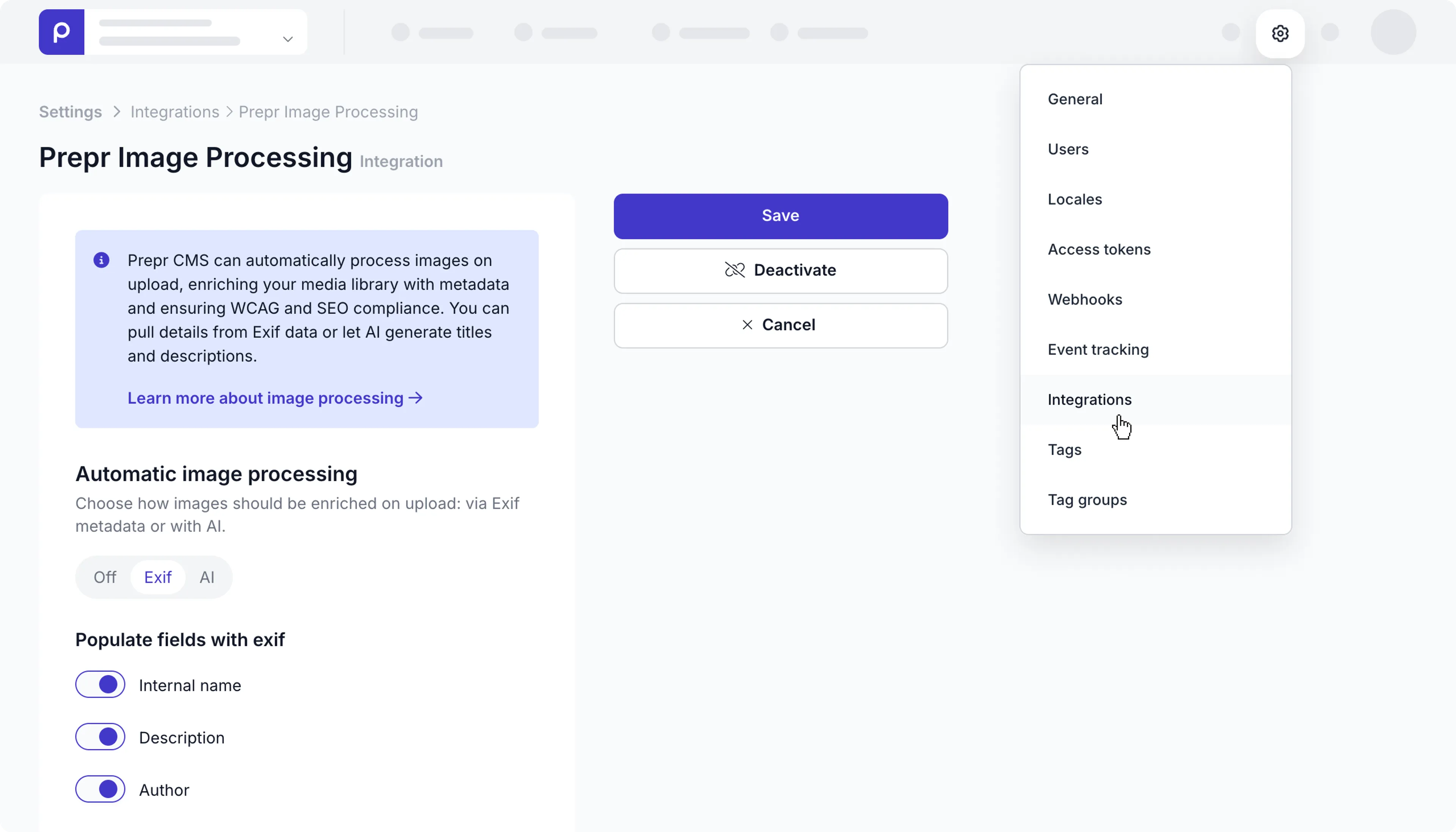
- Click the icon and choose the Integrations option to view all integrations. Go to the Prepr image processing card and click the Activate button.
- Choose the Exif option.
- Select one or more of the fields you want to extract:
- Internal name
- Description
- Author
- Click the Save button.
- To make any changes to the selected fields, go back to the Prepr image processing card and click the Manage button to make your changes.
Now that the integration with Exif is activated, your chosen fields will be filled automatically whenever new images are uploaded.
The text values for previously uploaded images will remain unchanged.
If you have any questions, please contact our Support team .
Last updated on