Leadinfo
In this guide, you’ll learn how to activate the Leadinfo integration in Prepr CMS. This integration provides you with the website visitor’s industry and company size you can use to create segments for personalization.
Introduction
Leadinfo is business-to-business (B2B) software that unmasks anonymous website traffic by matching visitor IP addresses with public company databases.
Activating Leadinfo integration to identify visitors
Activate Leadinfo in Prepr
When you activate the Leadinfo integration in Prepr, you are redirected to log in to your Leadinfo account automatically.
Activate the Leadinfo integration in Prepr as follows:
- Log in to your Prepr account and click the icon and choose the Integrations option to view all available integrations. Go to the Leadinfo card and click the Activate button.
If you do not have access to the Leadinfo integration yet, you can click the Try for free for 30 days button or contact our Sales team to activate the integration for longer than 30 days.
-
Log into your Leadinfo account and click the Allow button to grant the necessary permissions to your Prepr environment.
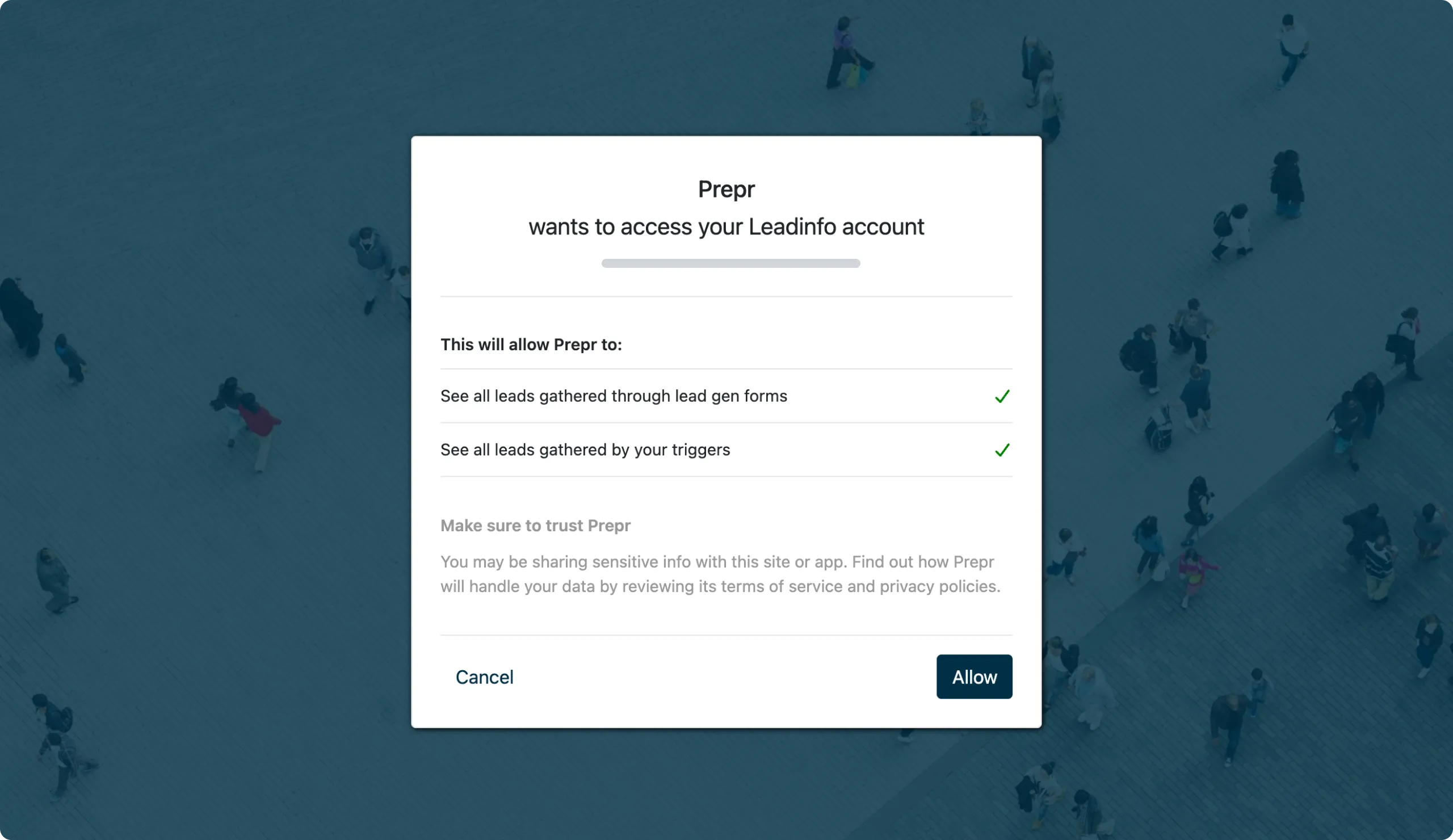
Once done, the integration is activated. Marketers can now create segments in Prepr with chosen industries and company size from Leadinfo.
Include Leadinfo segments in Prepr segments
To include Leadinfo segments in Prepr segments, follow the steps below:
-
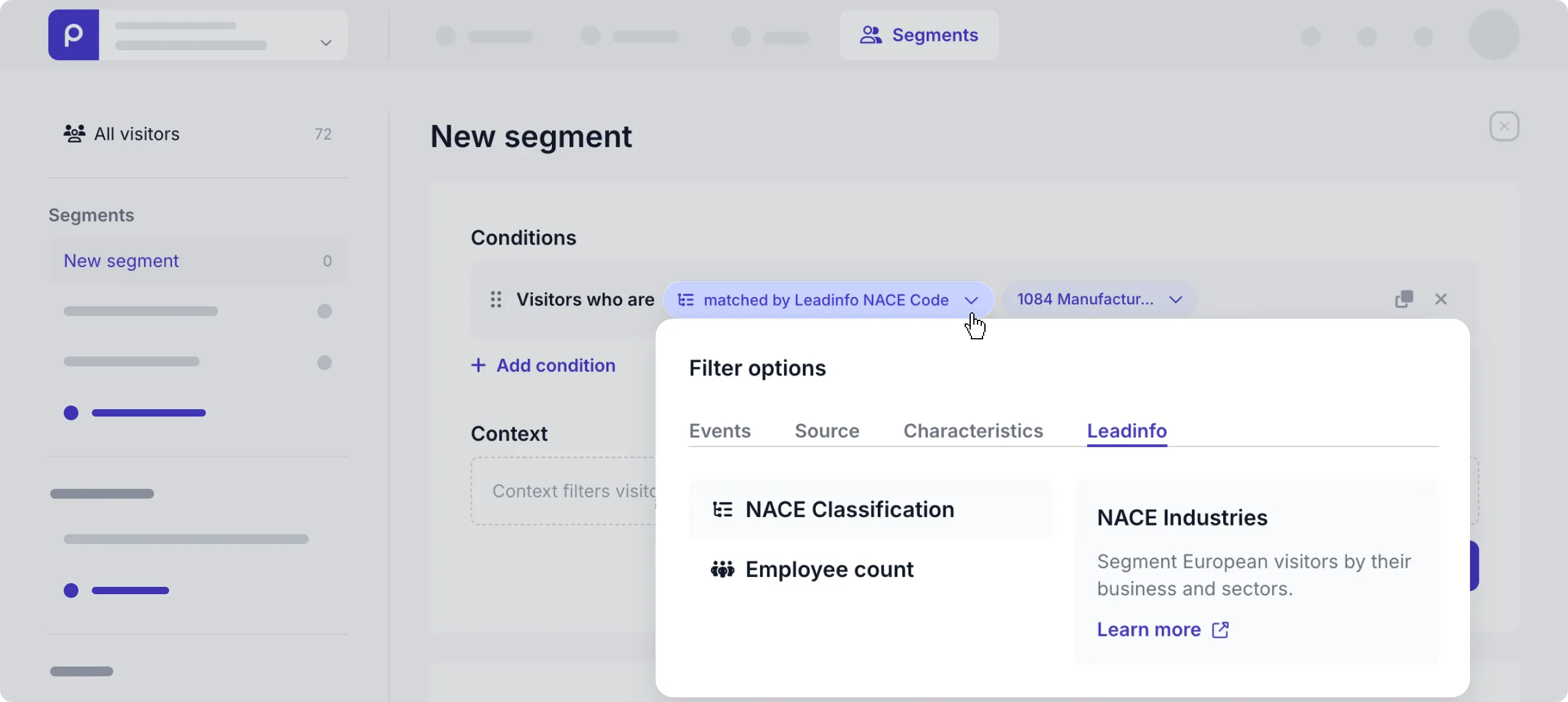
Go to Segments → + Add segment.
-
In the default condition, click the view link open the Filter options.
-
Open the Leadinfo tab and click the filter option you want to include, NACE or Employee count in the segment.
-
You can then choose any of the Leadinfo values in the dialog window. Click Save to create the segment.
Now, the segment is available to use in adaptive content. Check out the Adaptive content doc for more details.
Leadinfo visitor data
Leadinfo-specific data is only added to a visitor profile when they visit the personalized page on your website.
That’s it. The Leadinfo integration is activated and you can create adaptive content for your B2B website visitors.