Leadfeeder
In this guide, you’ll learn how to activate the Leadfeeder integration in Prepr CMS. This integration provides you with the website visitor’s industry and company size you can use to create segments for personalization.
Introduction
Leadfeeder is a comprehensive sales intelligence platform. It offers Leadfeeder’s website visitor tracking to identify which companies visit your website.
Activating Leadfeeder integration to identify visitors
Get the Leadfeeder access token
To generate an integration access token for your Leadfeeder account, it’s best to contact your account manager directly. If you don’t have their contact information, you can reach out to Leadfeeder’s support team for assistance. They offer support through live chat within the platform or you can email them at [email protected].
Activate Leadfeeder in Prepr
Now that you have the Leadfeeder access token, you can activate the Leadfeeder integration in Prepr as follows:
If you need to activate the integration for all environments in your organization, go to the icon in your organization.
- Log in to your Prepr account and click the icon and choose the Integrations option to view all available integrations. Go to the Leadfeeder card and click the Activate button.
If you do not have access to the Leadfeeder integration yet, you can click the Try for free for 30 days button or contact our Sales team to activate the integration for longer than 30 days.
- In the Leadfeeder app screen, paste the copied Access token value and click the Save button.
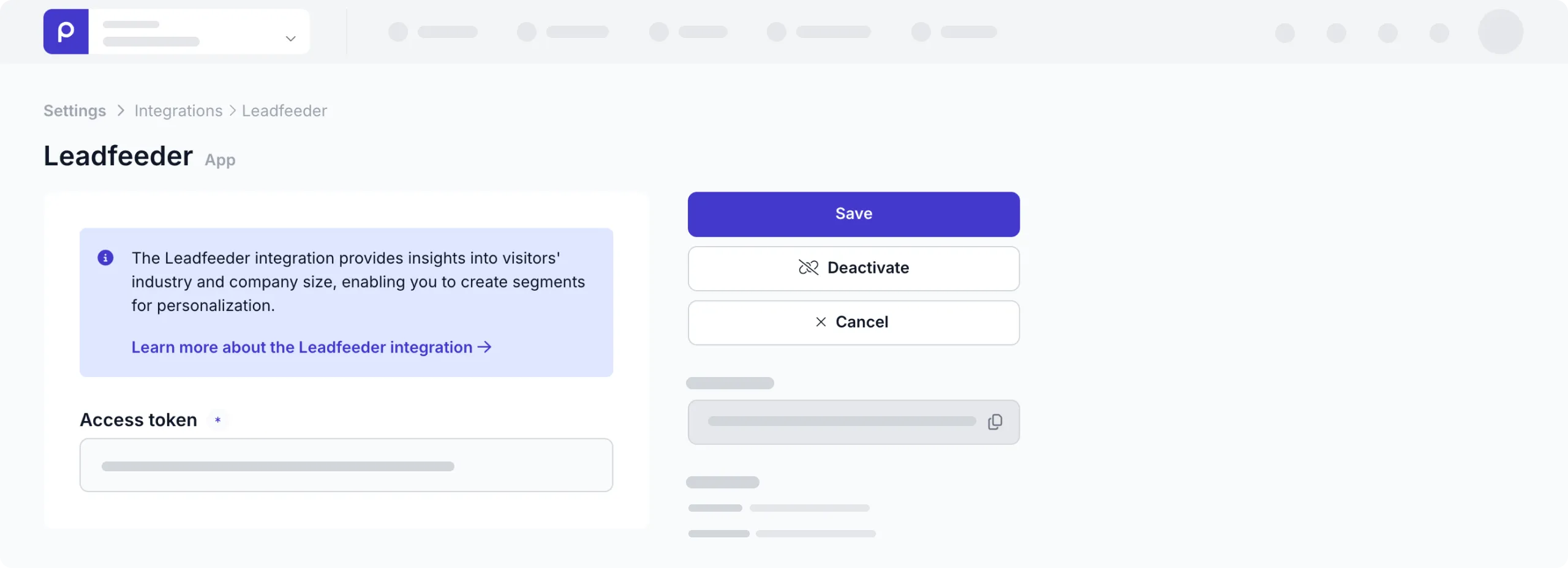
That’s it. You’ve connected Prepr to Leadfeeder making the industry name, NAICS and employee count available in your Prepr segments.
Include Leadfeeder segments in your Prepr segments
To include Leadfeeder segments in your Prepr segments, follow the steps below:
-
Go to Segments → + Add segment.
-
In the default condition, click the view link open the Filter options.
-
Open the Leadfeeder tab and click the filter option you want to include, Industry name, NAICS or Employee count in the segment.
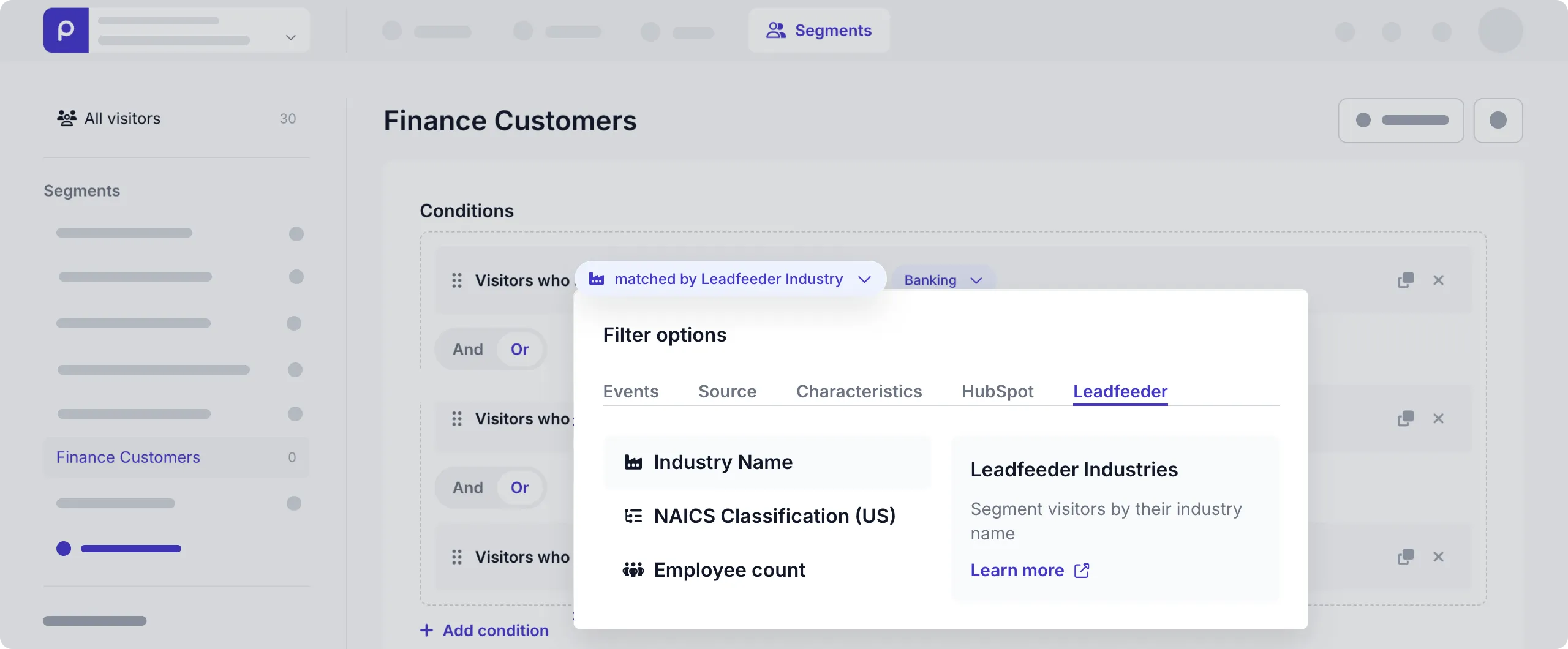
- You can then choose any of the Leadfeeder values in the dialog window. Click Save to create the segment.
Now, the segment is available to use in adaptive content. Check out the Adaptive content doc for more details.
Leadfeeder visitor data
Leadfeeder-specific data is only added to a visitor profile when they visit the personalized page on your website.
That’s it. The Leadfeeder integration is activated and you can create adaptive content for your B2B website visitors.