ProspectPro
In this guide, you’ll learn how to activate the ProspectPro integration in Prepr CMS. This integration provides you with the website visitor’s industry and company size you can use to create segments for personalization.
Introduction
ProspectPro is a B2B prospecting platform for finding and reaching high-value business leads using AI and data enrichment, especially in markets like the Netherlands.
Activating ProspectPro integration to identify visitors
Get the ProspectPro access token
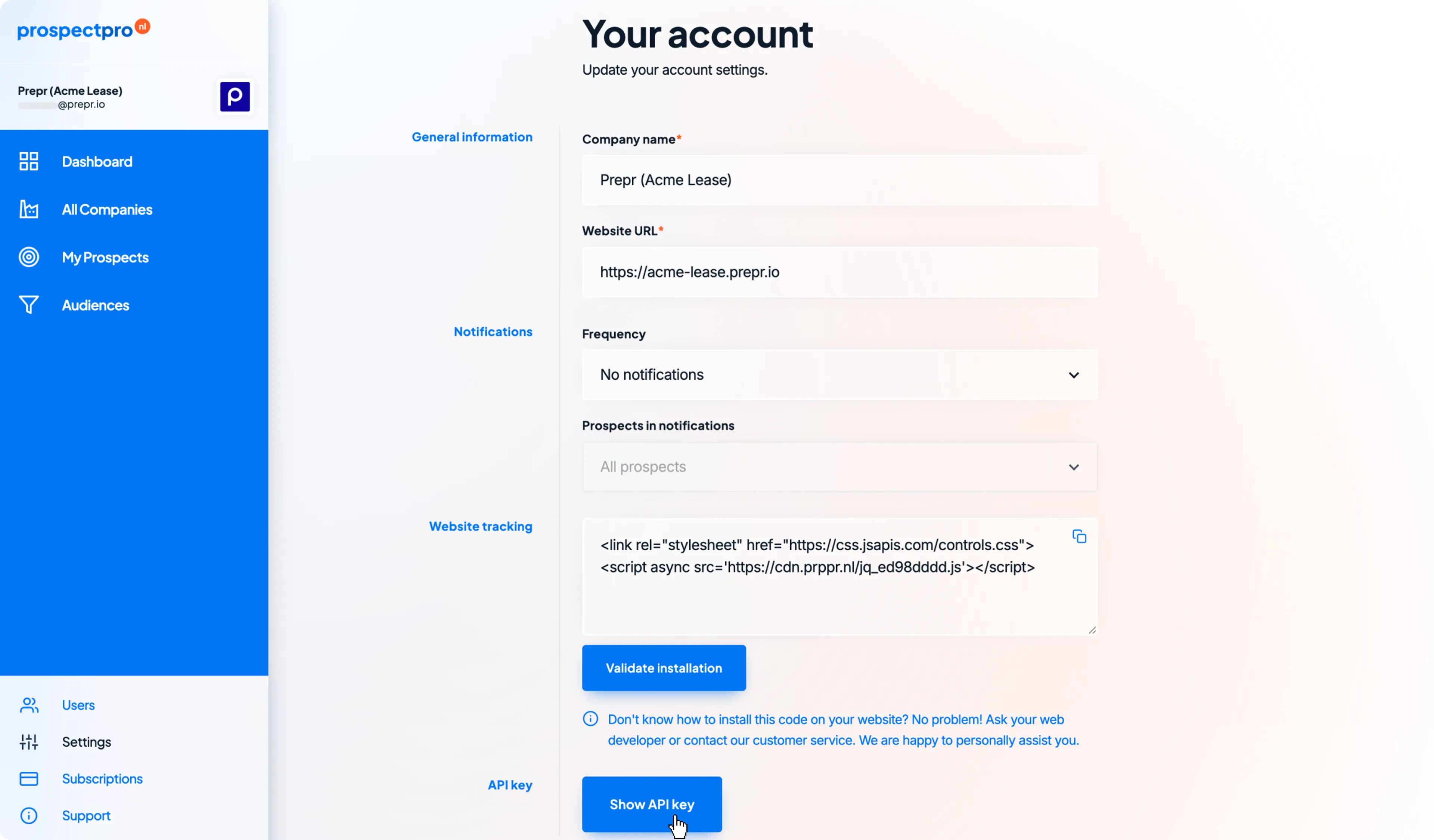
To get an integration access token, log into your ProspectPro account, and on the left, click to open your Settings. Click the Show API key button and copy the access token.
Activate ProspectPro in Prepr
Now that you have the ProspectPro access token, you can activate the integration in Prepr as follows:
If you need to activate the integration for all environments in your organization, go to the icon in your organization.
-
Log in to your Prepr account and click the icon and choose the Integrations option to view all available integrations. Go to the ProspectPro card and click the Activate button.
-
In the ProspectPro app screen, paste the copied Access token value and click the Save button.
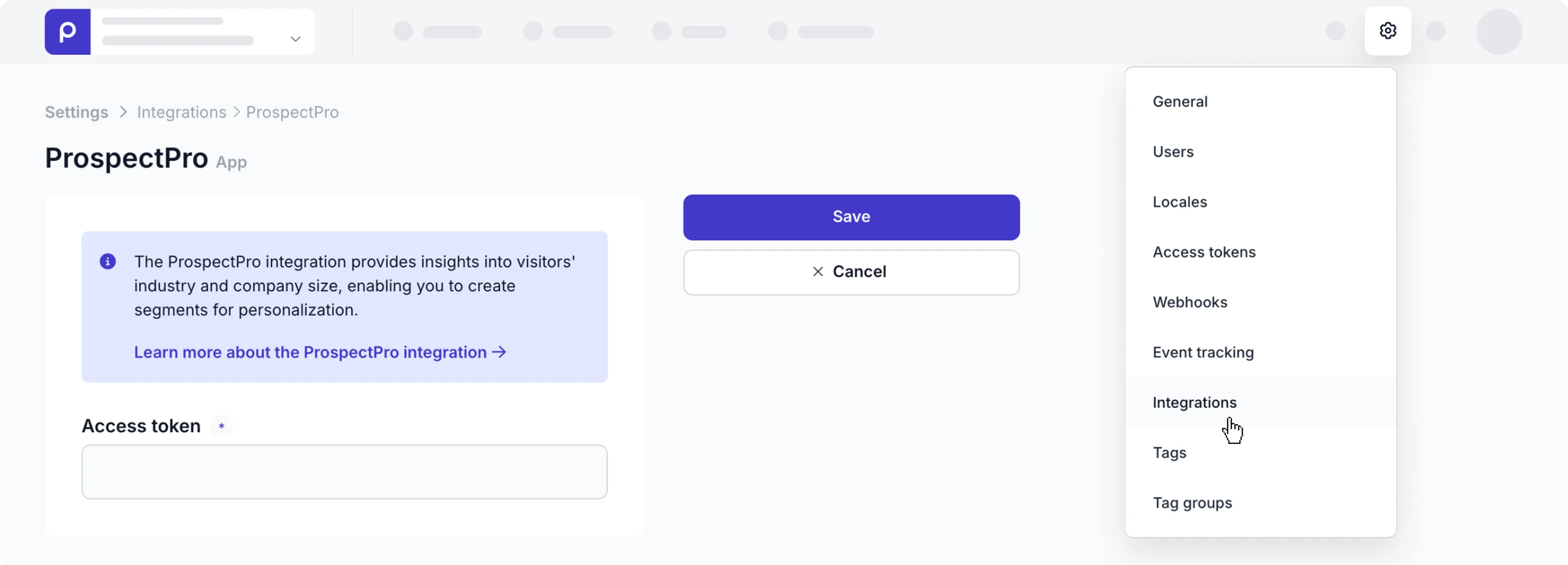
That’s it. You’ve connected Prepr to ProspectPro making the industry name (NAICS or NACE classifications) and employee count available in your Prepr segments.
Include ProspectPro segments in your Prepr segments
After activating the ProspectPro integration, you can add segments based on ProspectPro criteria.
-
Go to Segments → + Add segment.
-
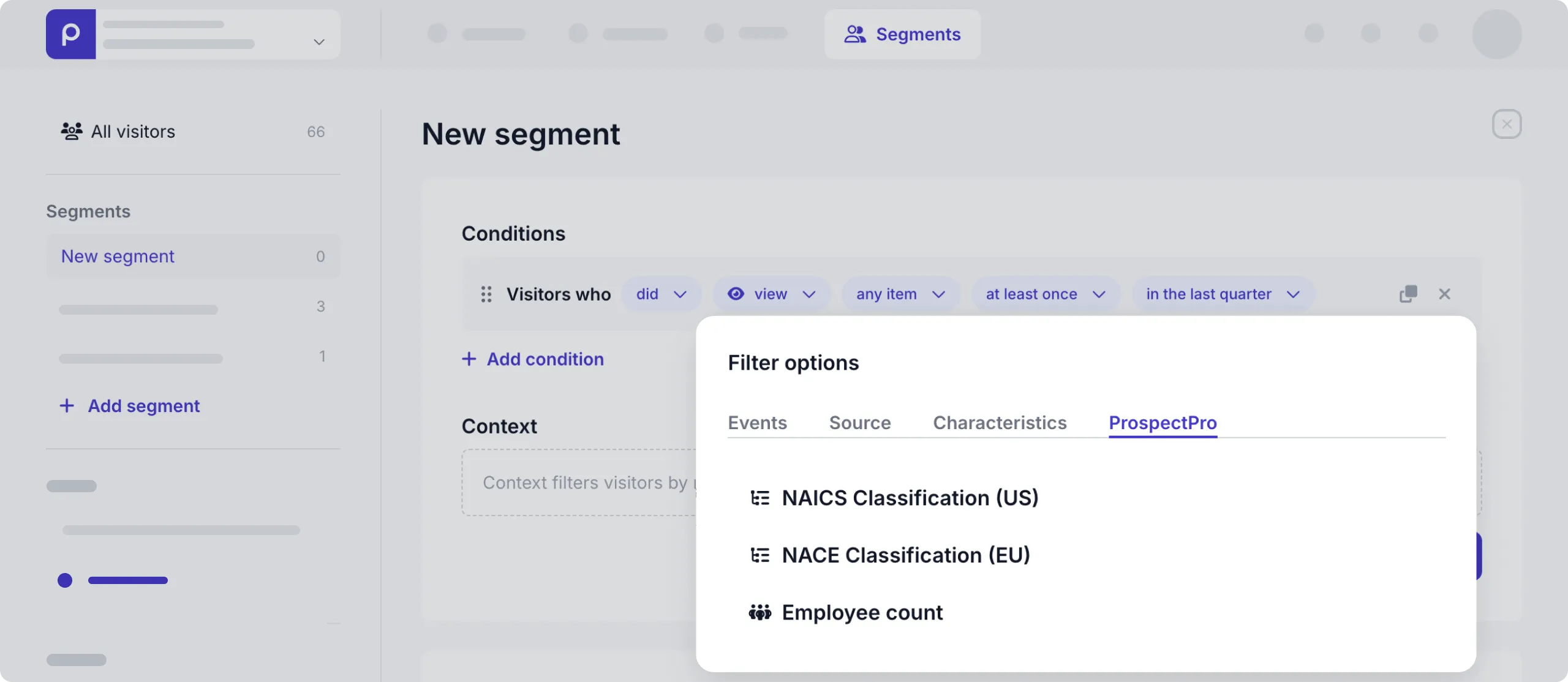
In the default condition, click the view link open the Filter options.
-
Open the ProspectPro tab and click the filter option you want to include, NAICS, NACE or Employee count in the segment.
-
You can then choose any of the ProspectPro values in the dialog window. Click Save to create the segment.
Now, the segment is available to use in adaptive content. Check out the Adaptive content doc for more details.
ProspectPro visitor data
ProspectPro-specific data is only added to a visitor profile when they visit the personalized page on your website.
That’s it. The ProspectPro integration is activated and you can create adaptive content for your B2B website visitors.