Defining goals for adaptive content and A/B testing
This guide covers everything you need to know about defining conversion goals to measure in-depth engagement based on adaptive content or A/B test content.
Introduction
A conversion goal is a specific, measurable action that you, as a marketer, want a web app visitor to take. It represents a step forward in the visitor journey that aligns directly with your business objectives.
Let’s take a look at a use case. You want to increase the number of visitors who request a quote through your car leasing website. To achieve this goal, you take the following actions:
-
You find that the Homepage is one of the main entry points in the visitor journey that results in a visitor requesting a quote.

-
So, you come up with a plan to improve the content in the hero section of the Homepage.
- You decide to group visitors by those who want to lease electric cars.
- You prepare personalized content for this targeted audience to drive more visitors toward the goal of requesting a quote.

-
To determine how well this personalized variant of the Hero section performs, you add it as adaptive content with the following goals:
- Micro-conversion goal: You want to measure how many visitors click the Find your car button on the home page because it’s the start of the visitor journey to reach the end goal.
- Macro-conversion goal: You want to measure how many visitors request a quote within a day of visiting the home page.
Let’s dive into how to define goals in Prepr.
Defining conversion goals
You typically define conversion goals in the context of adaptive content (personalization) or A/B tests.
Let’s define goals based on the use case above.
-
Go to Segments → Goals.
-
Click the + Add goal link and set a condition like in the example below.
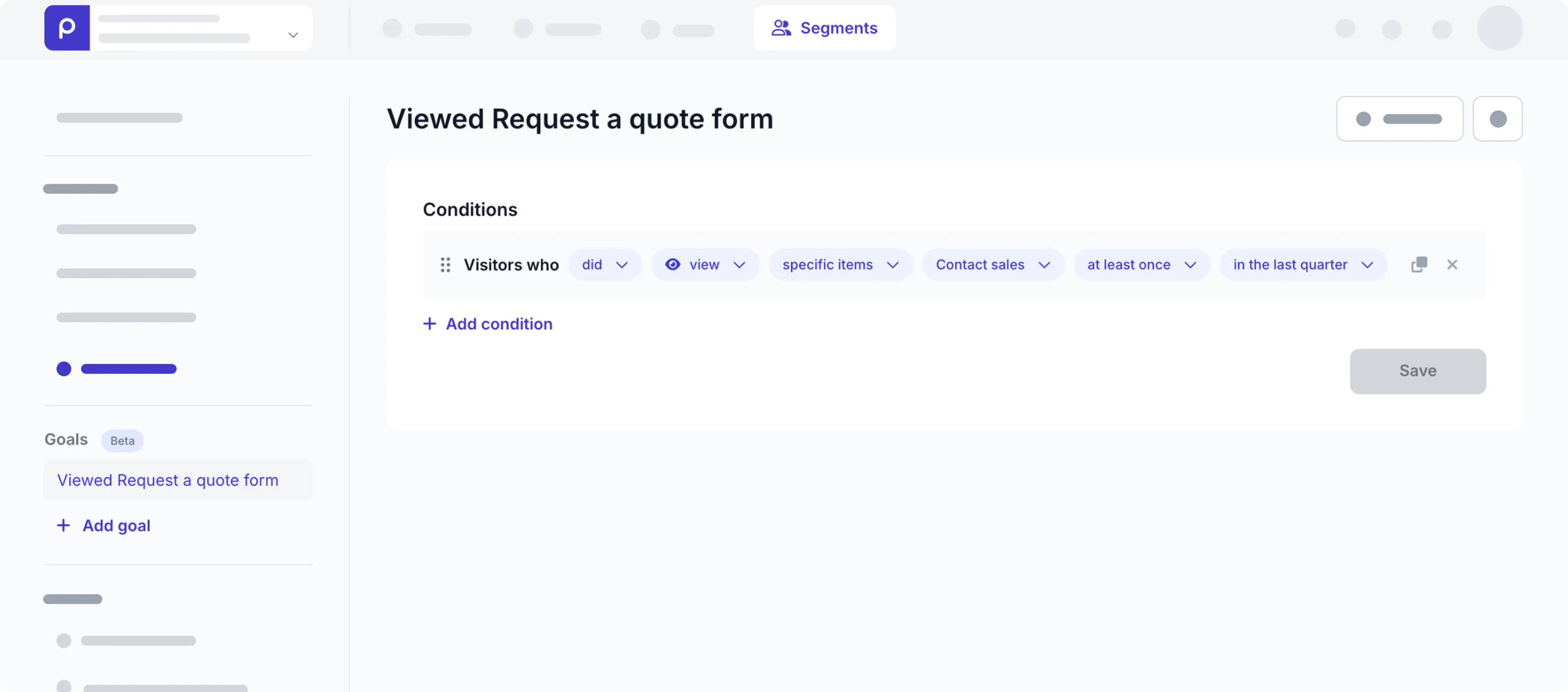
You can set up any combination of conditions in your goals for visitor Events. Combine conditions by using the
ANDorORlogical operators. -
Click the Save button and provide a meaningful name for the goal.
-
Click the Save button.
Now that you’ve seen how to define a goal, let’s look at the filter options in more detail to help you set up all kinds of conditions.
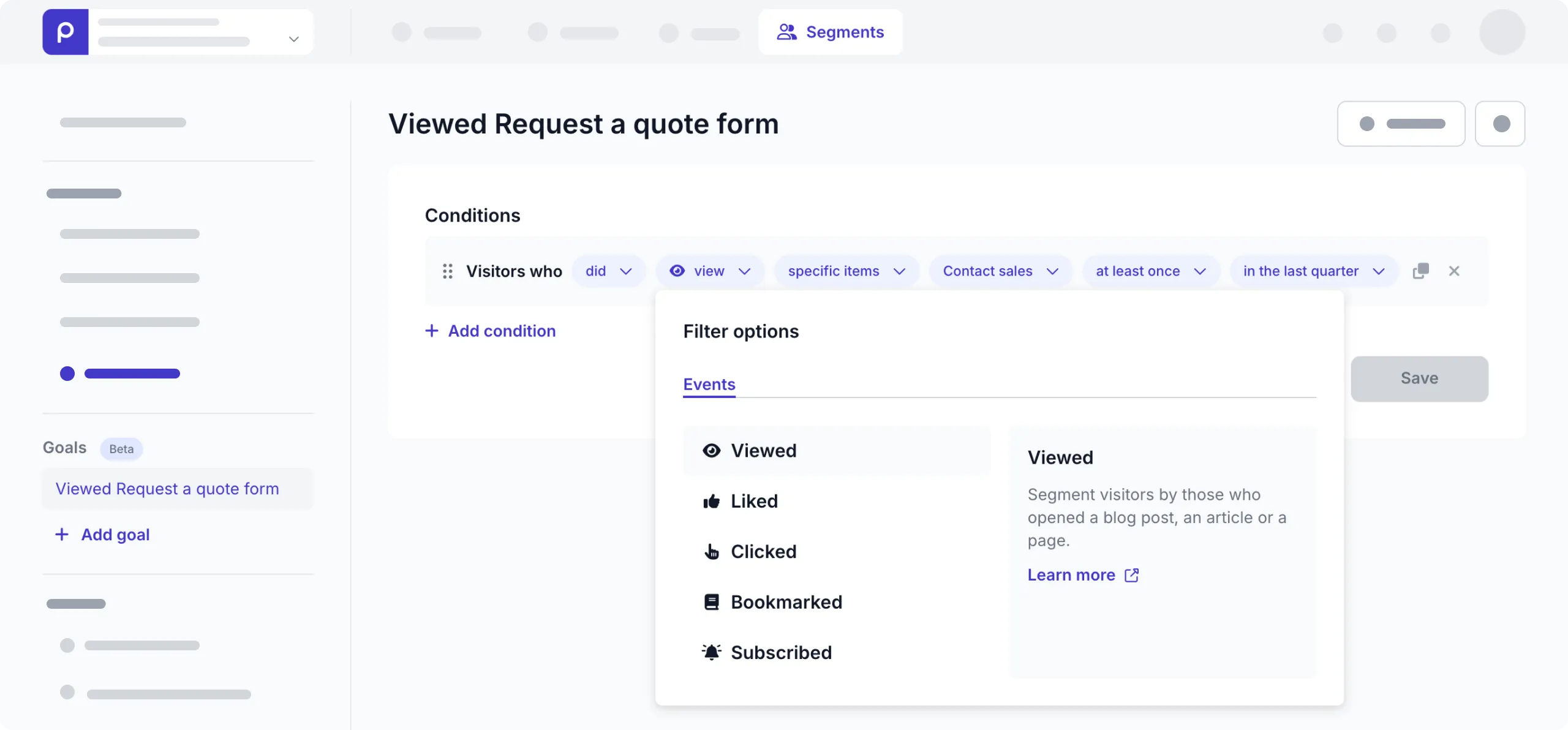
When you set up conditions to define goals, you can choose an action related to Events. Events refer to how the visitor interacted with content items rendered by your web app, such as Viewed, Liked, Clicked, Bookmarked, and Subscribed. You can also choose a Custom event for any other event specific to your metrics needs. These events need to be recorded in the front end to track and measure these conversions accurately.
Content item selection
When you use one of the non-custom events, you can then choose from the following list of options to define the set of content items that you want to include in the condition.
- Any item - The default option. Include visitors who performed events on any content item.
- Specific items - Only include visitors with events on one or more specific content items. Choose the content item by its Title for this option. For example, Visitors who
didviewspecific itemsLanding Page Electric Carat least once. - Items of a model - Only include visitors with events on content items for this model. For example, Visitors who
didviewitems of a modelArticleat least once. - Items with specific tags - Only include visitors with events on content items with one or more tags. For example, Visitors who
didviewitems with specific tagsArticleat least once. - Items with specific reference to item - Only include visitors with events on content items linked to specific content items. For example, Visitors who
didviewitems with a reference toJohn Smithat least oncecan group visitors who viewed articles written by the person, John Smith.
When adding a new condition for an event, the did action is selected by default.
You can also choose the did not action, instead.
For example, Visitors who did not view items of a model Article at least once in the last quarter.
Frequency options
You can further narrow your condition by specifying how many times an event occurred. Use one of the following options:
- At least once - The default value.
- x number of times - The event must occur exactly x times where x is a whole number.
- More than x times - Only include events that happened more than x times where x is a whole number.
- Less than x times - Only include events that happened less than x times where x is a whole number.
Time filter
You can the narrow your condition to only include visitors with recent activity (Events) by specifying when last the visitor interacted with a content item. You can choose from one of the time filters below.
- In the last day
- In the last week
- In the last month
- In the last quarter (The default value)
Once, you’re satisfied that your goals are well-defined, you can then link them to your adaptive content or A/B test.
Link goals to experiments
You can link goals to either adaptive content or A/B test experiments. If you already have adaptive content or A/B test in your content items, follow the steps below to link the relevant goals.
-
Go to the Content tab, and click to open the content item with adaptive content or an A/B test.
-
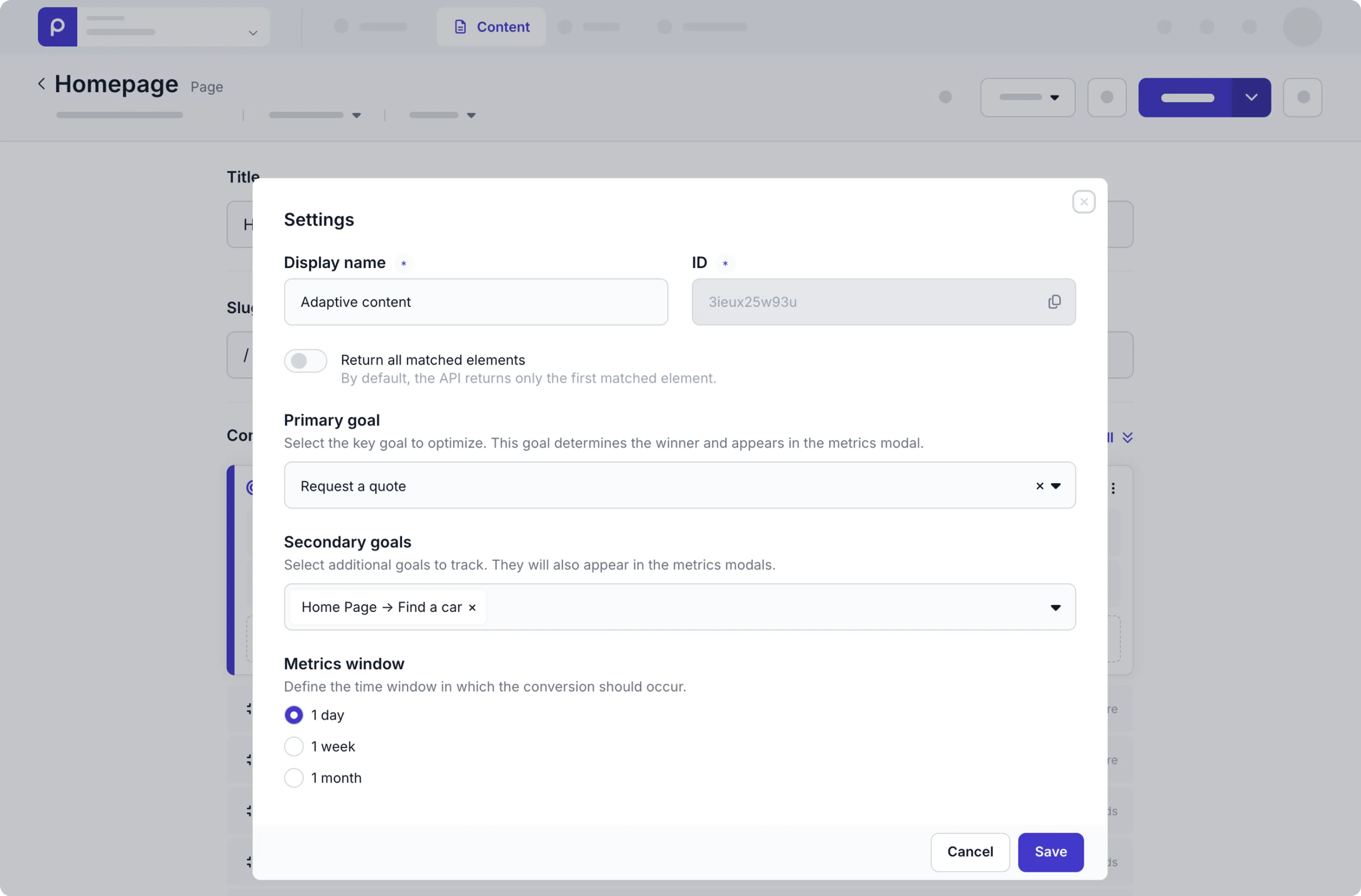
Go to the adaptive content or A/B test block and click the icon in the block and choose the Manage settings option.
-
Set the Primary goal value to the goal you previously defined (usually for a macro-conversion).
-
Set the Secondary goals value to another goal (usually for a micro-conversion).
-
Keep the default Time window of 1 day, for example to measure the number of visitors achieved the goal within one day of viewing the A/B test content or adaptive content.
Now that you’ve linked the goal, Prepr can calculate metrics for that goal.
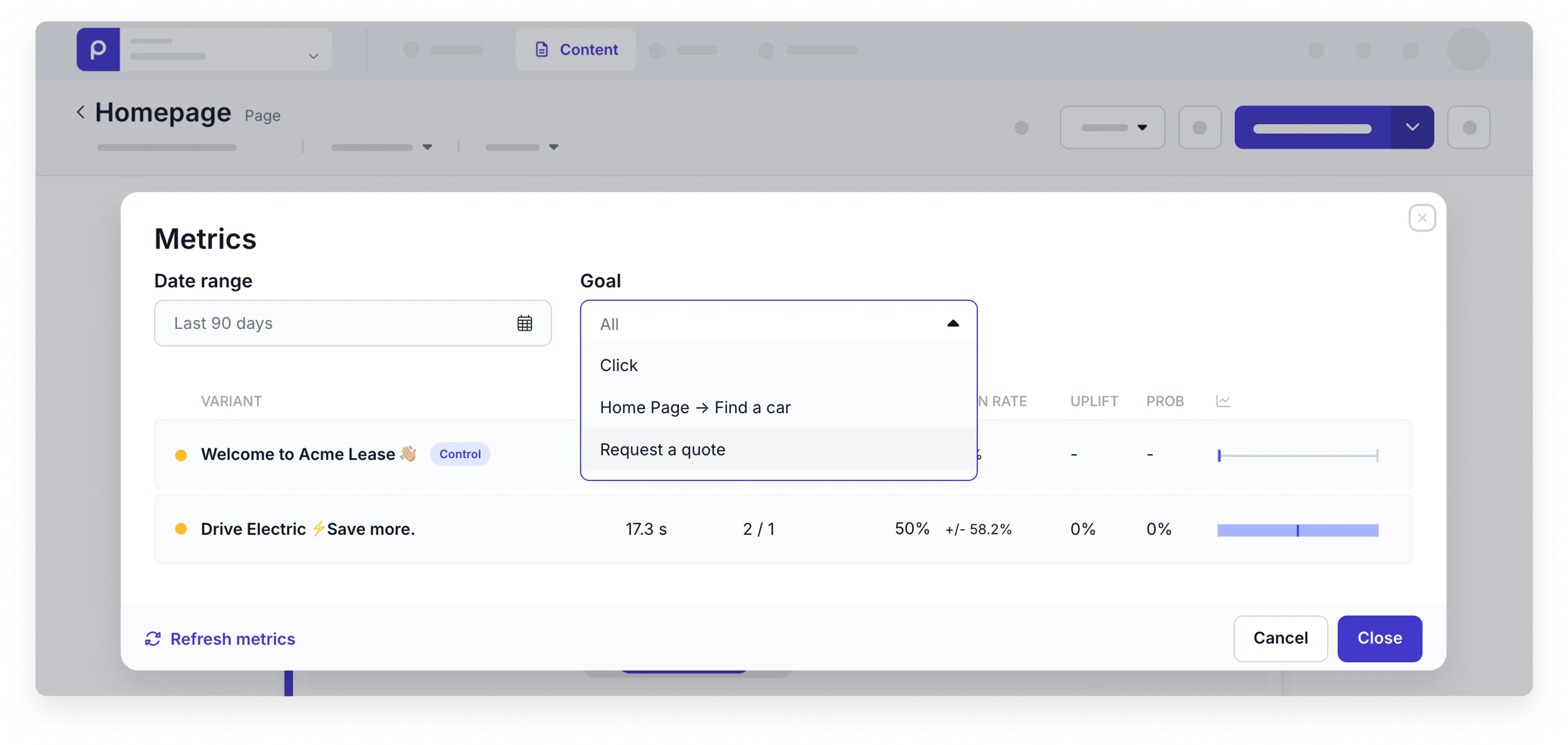
If you don’t see any metrics for your adaptive content or A/B test though visitors are interacting with the content, then collaborate with the development team to do the one-time setup for personalization or A/B testing.
What’s next?
Follow our Managing adaptive content guide to immediately start delivering a personalized visitor experience to your website app visitors or our Running A/B tests guide to evaluate which variants of content A or B performs better.