Prepr for Radio changelog
New features and important updates are continuously being added to Prepr for Radio. The changelog below provides an overview of all releases and changes. Please note that updates may be rolled out in phases, so they may not always be available simultaneously in all Prepr environments.
Do you have a great suggestion for Prepr for Radio? We’d love to hear from you.
AI-Generated reply suggestions for messages
Today, we added support for AI-generated reply suggestions when a user clicks Reply on an incoming radio message. The AI generates up to three clearly distinct suggestions based on the listener’s message, the logged-in user’s name, the current program, and the Now Playing track at the time the message was received.
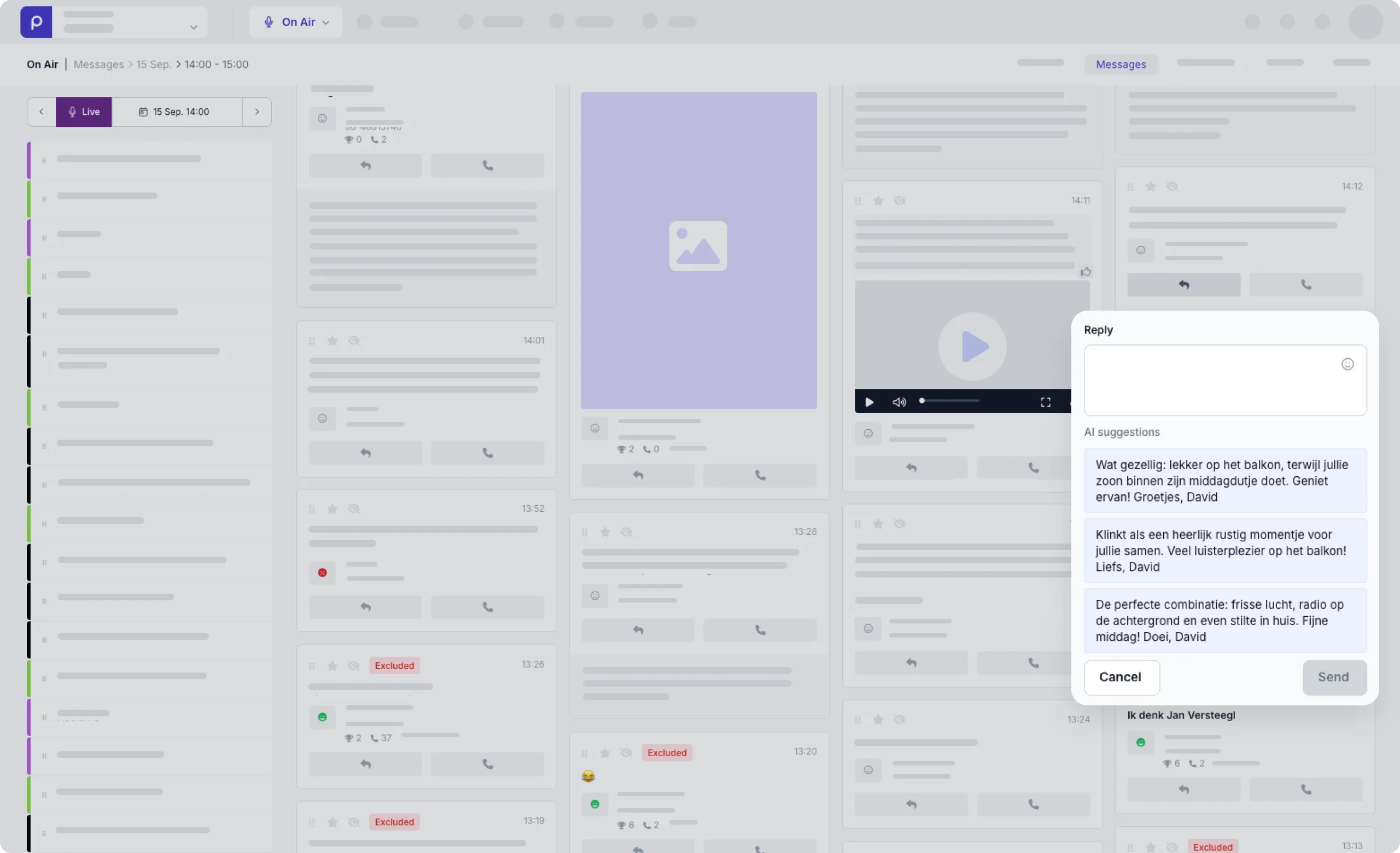
This makes replying faster and easier, reducing the effort needed to write a response while helping DJs and producers engage with more listeners and keep conversations going.
Newsroom Updates for Radio
The Newsroom section in Prepr for Radio has been updated to the newest framework, bringing improved stability and performance. This update also includes bug fixes for drag-and-drop functionality, improved recalculation of bulletin items, and fixes for issues affecting collaboration mode.
Support for WhatsApp IDs
Prepr for Radio now supports WhatsApp IDs when creating messages. A WhatsApp ID can be stored alongside the message body, label, and nickname, allowing messages from listeners who do not share a phone number to be linked to the correct profile. This helps prevent duplicate or separate profiles from being created for the same listener.
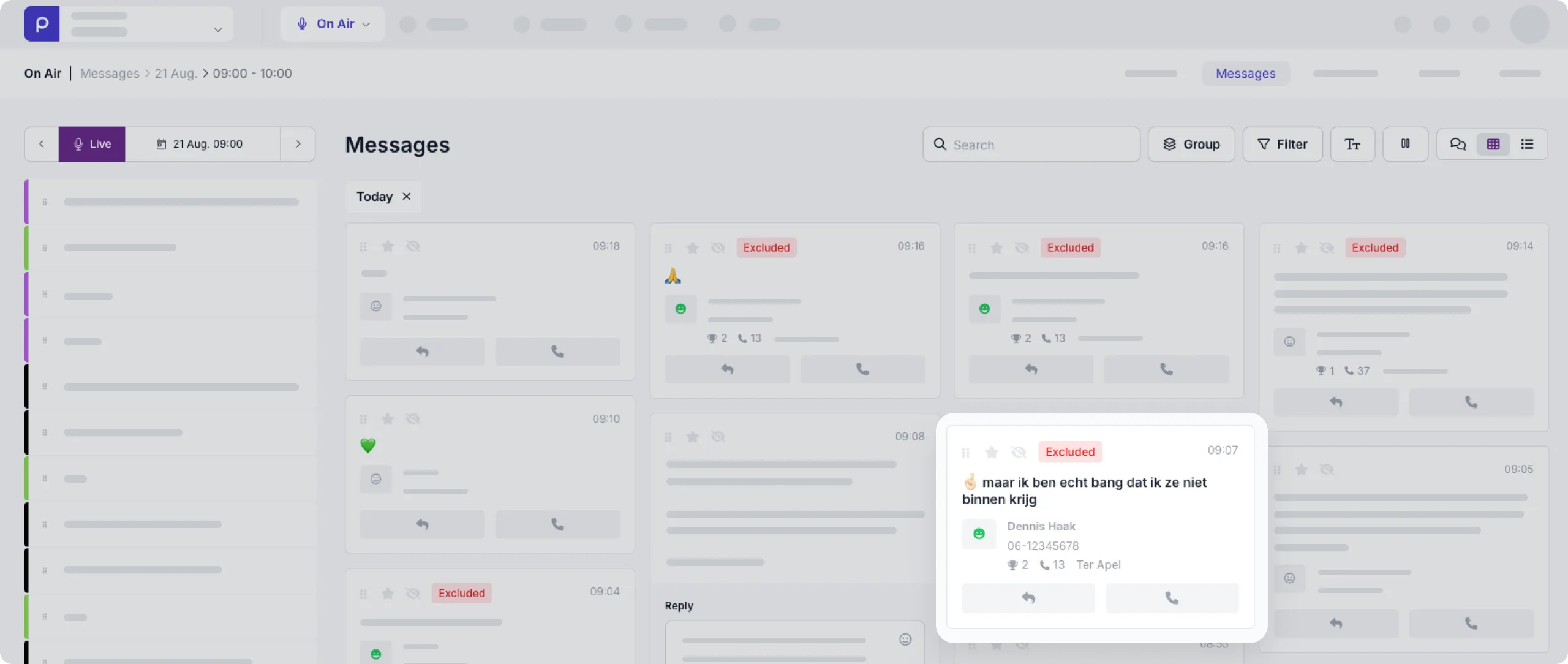
Updated message design with call and win history
The message design has been updated to provide more relevant information at a glance. You can now see how many times a person has called and won, as well as the town they are from.
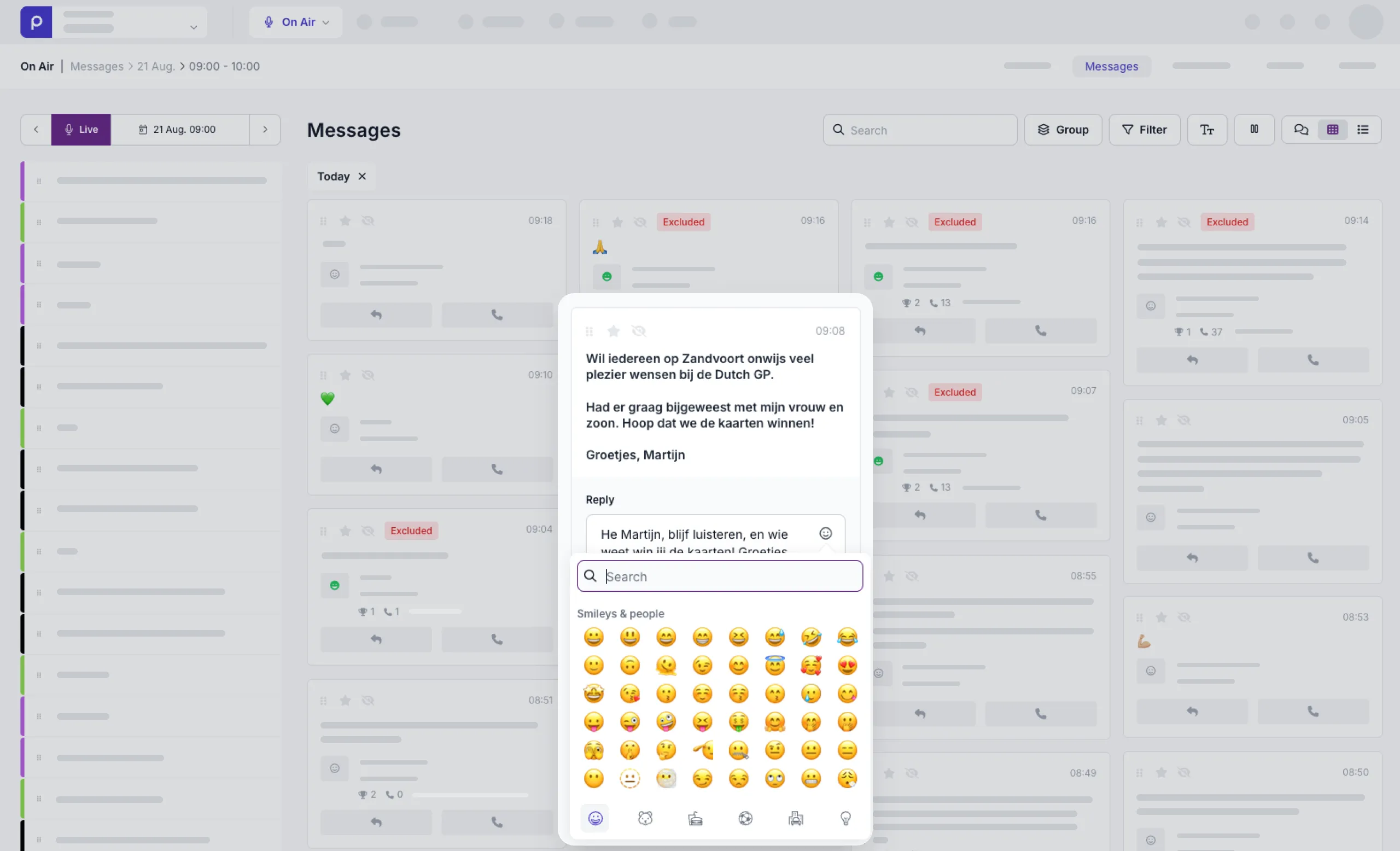
Expanded reply options with emoticons
Replying to messages is now even easier. You can react to a message with a single click using the button. Emojis have also been added to the reply functionality, giving you more ways to quickly respond to messages.
Make informed calls with instant caller history
Relevant call and win history is now shown directly in the ‘Make call’ window.
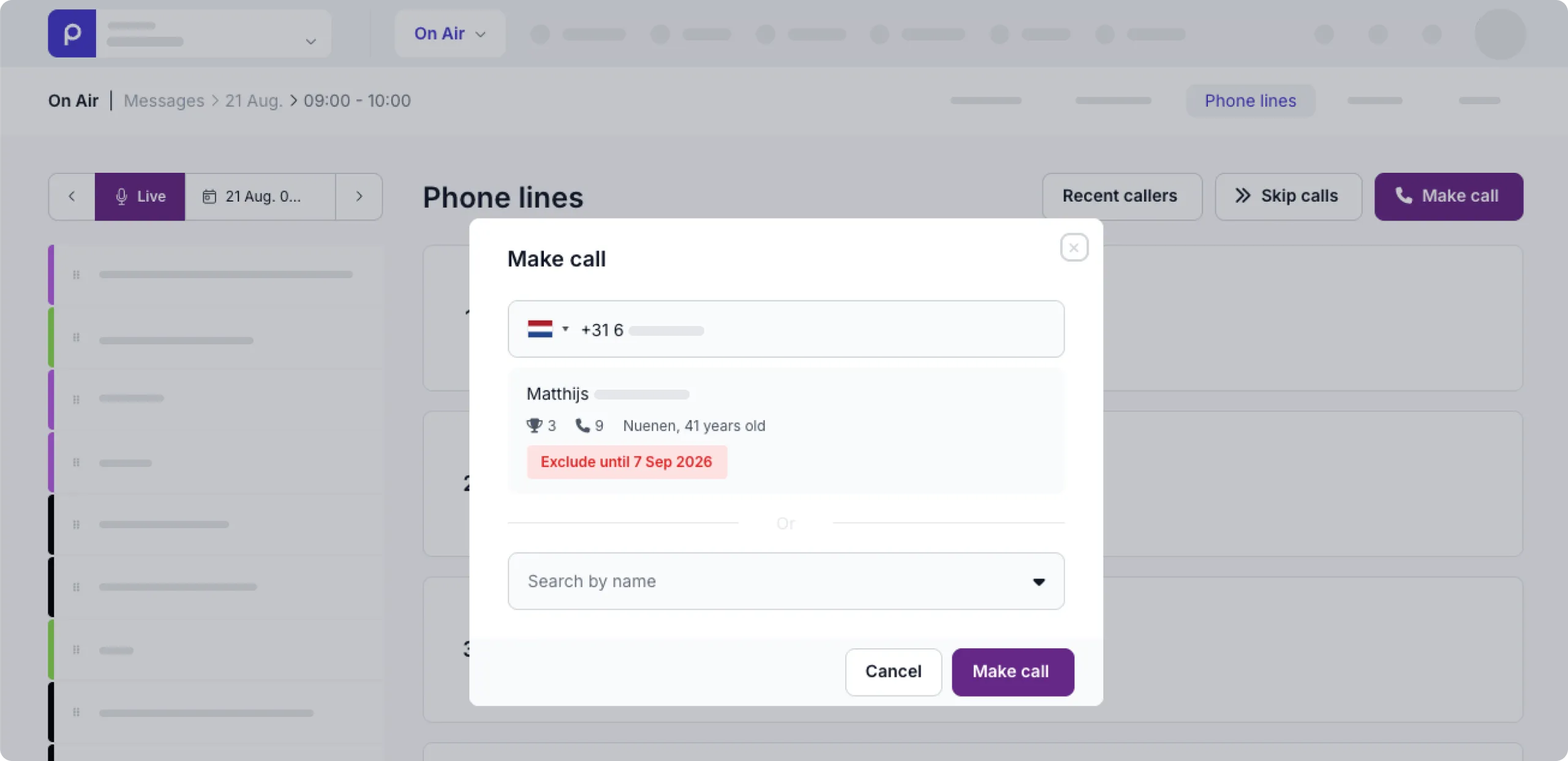
Previously, you could enter a phone number or select a profile, but you would only see whether someone had called before, won a prize, or been excluded from participation after the call had been initiated.
With this update, you can see this information before making the call, including the person’s name, how many times they have called before, how many times they have won, and whether they are currently excluded from participating in a competition or contest. This allows you to make faster and better-informed decisions about whether to call someone, before the conversation starts. It helps prevent surprises during live broadcasts and makes the selection process more efficient.
Resend winner emails
You can now resend a winner email for prizes won within the past 24 hours.
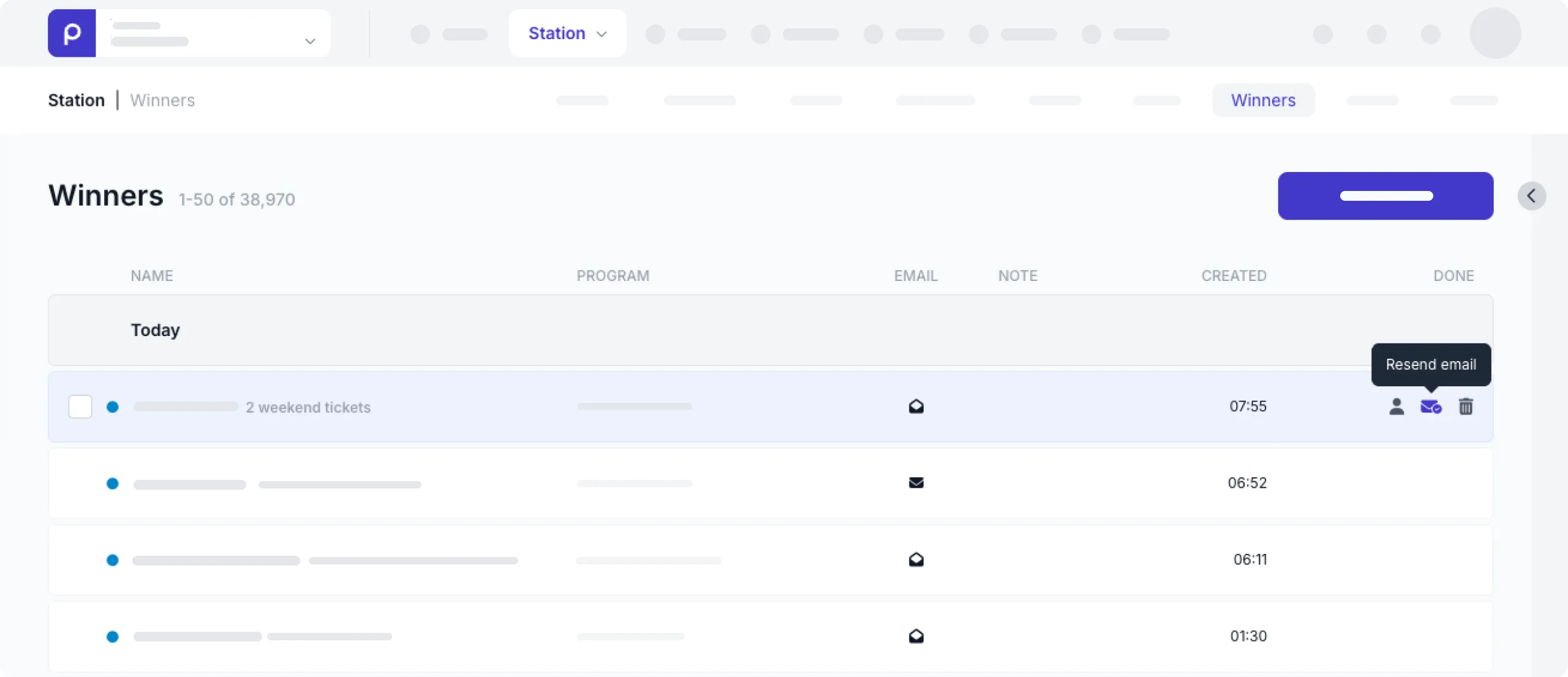
This is useful when a winner’s email address has been updated, for example after the original email bounced.
Previously, once the winner email had been sent, it could not be sent again. This update makes it easier to ensure winners receive the information they need, even when their email address changes.
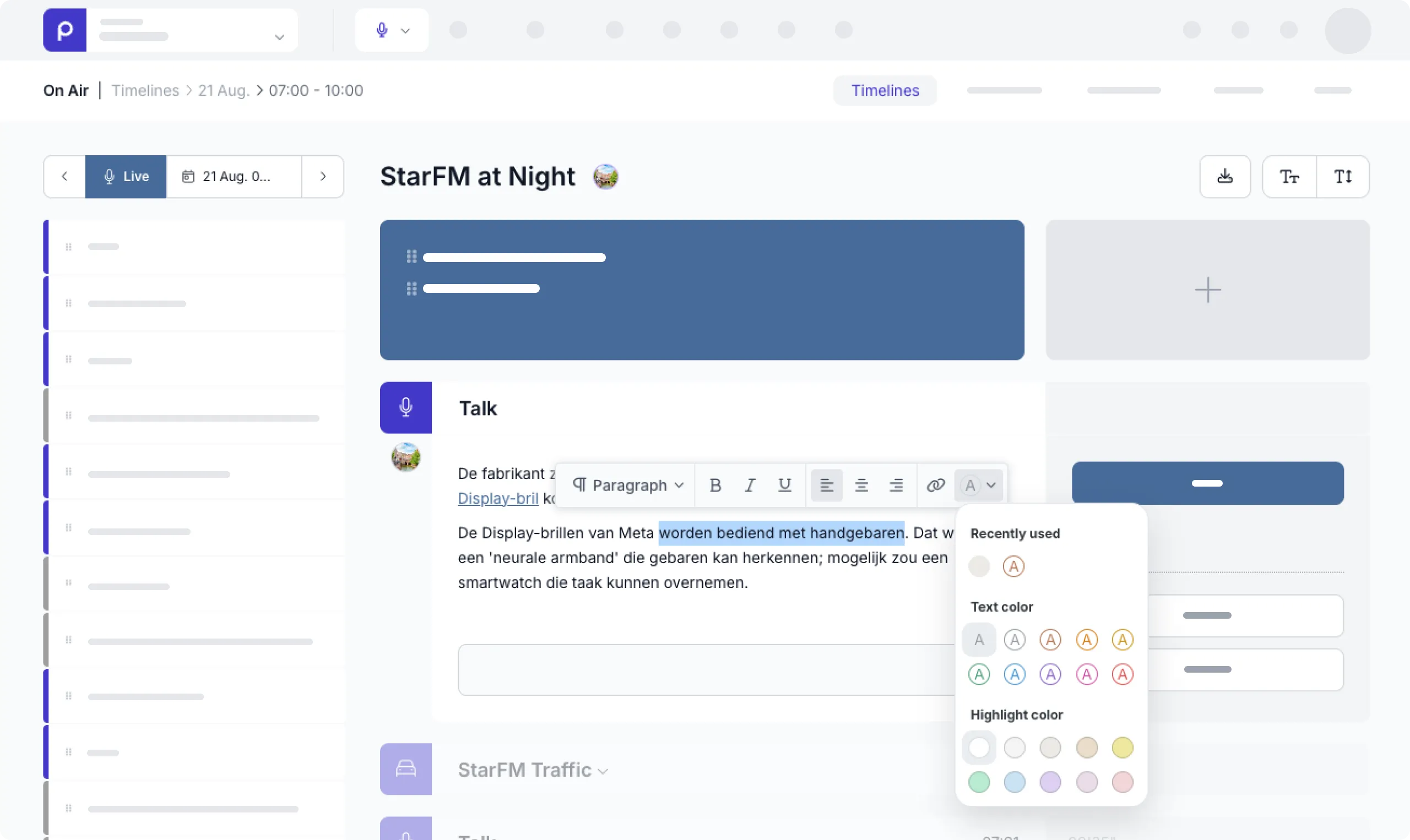
Highlight and style text in the timeline
The timeline now offers more formatting options, making it easier to structure and emphasize important information. You can highlight text and apply both text and background colors to make key content stand out.
Collaboration mode bug fix in the timeline
Recently, we experienced an issue with collaborating on an item. The supplier of the editor we use cannot guarantee that a solution will be provided. We are therefore working on our own solution. This will make it possible to work together on a talk or item again.
Expanded artist information in track details
The timeline track section now provides a more complete artist overview: opening a track detail displays an expanded artist biography, giving you relevant information about the artist at a glance. We also removed the ‘latest news’ section, as the underlying service and API are no longer available.
Duplicate prizes with ease
You can now duplicate prizes directly from the prize list, making it quick and easy to create multiple similar prizes without having to populate all fields over and over again.
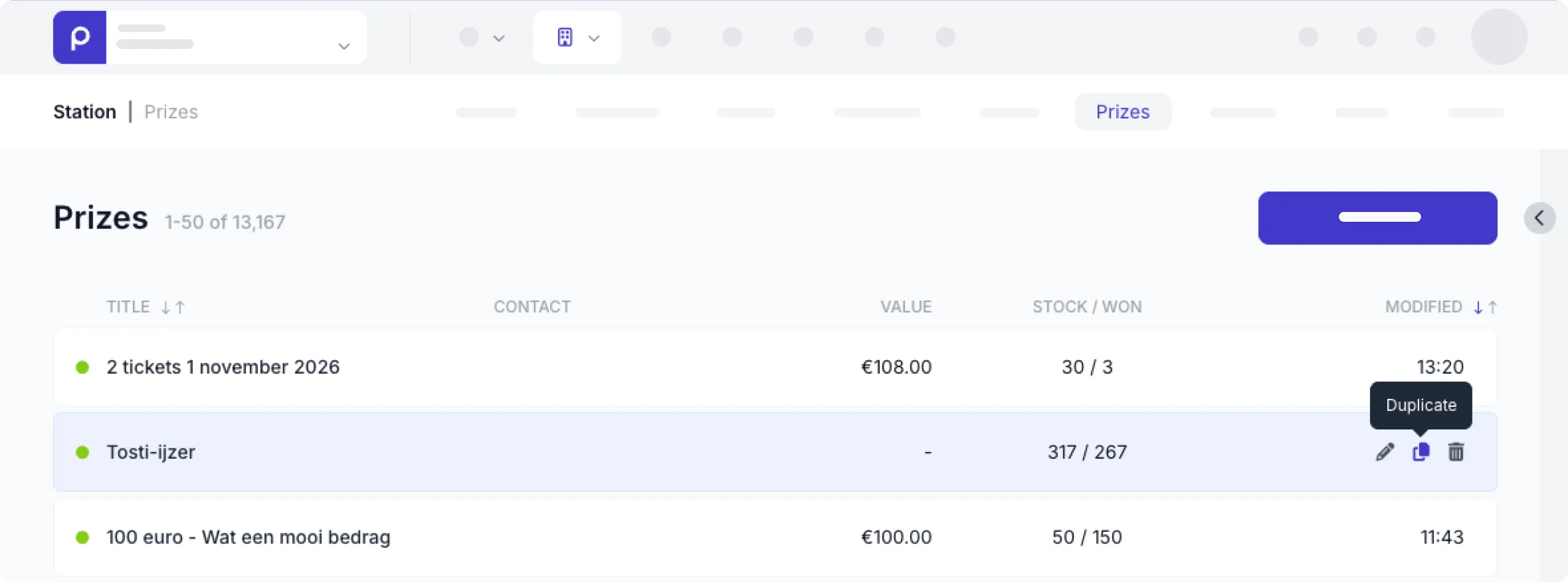
This saves time and simplifies the process of adding prizes with similar details.
Additional win status: In progress
Since the beginning of March, it is possible to assign the In progress prize status to a winner and win moment.
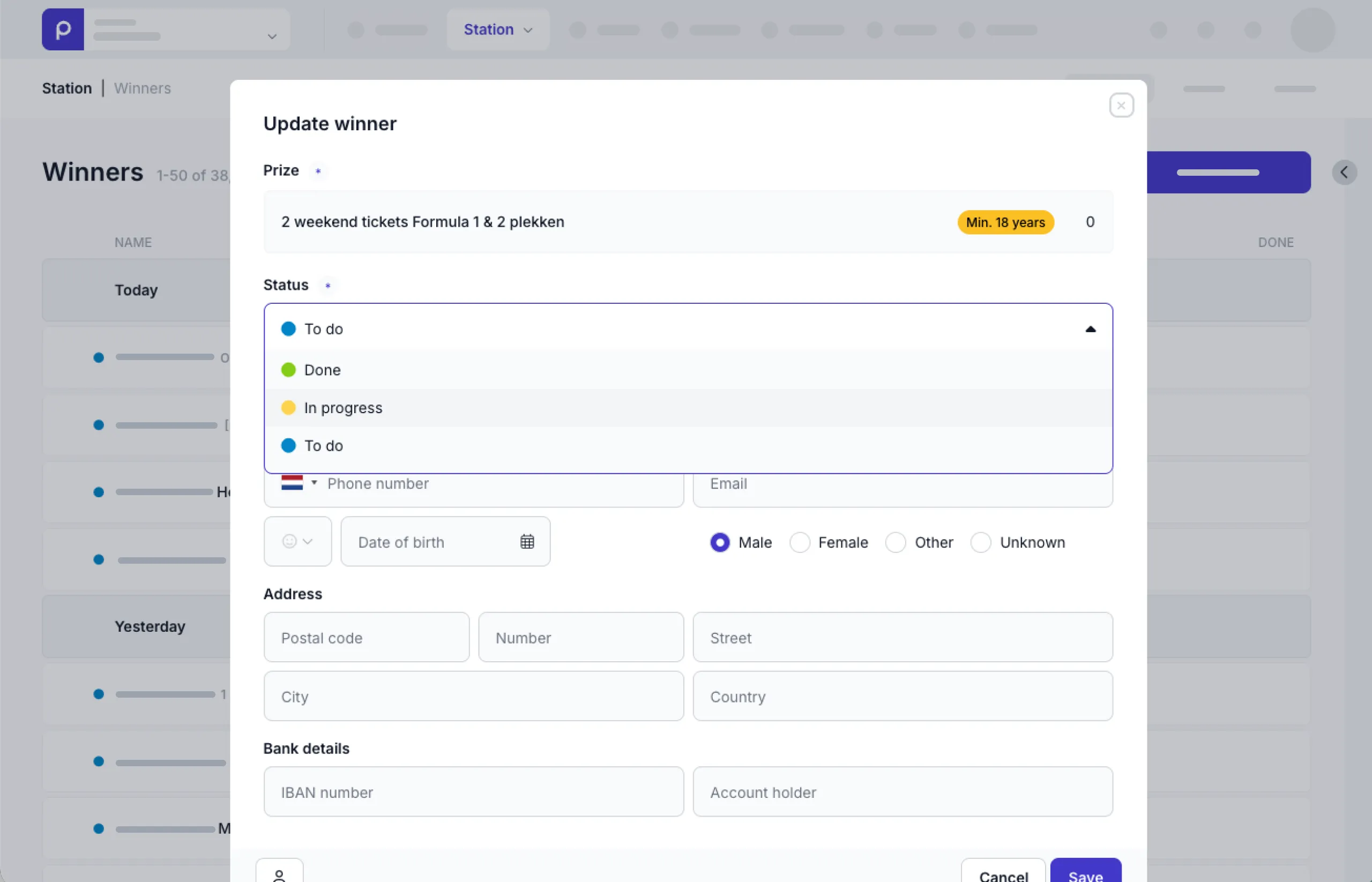
This makes it easier to adapt the winner list to your station’s prize fulfillment process.
Control who can reply to messages
A new Messages reply permission gives you more control over who can respond to messages. You can now enable or disable the reply functionality per role, ensuring that only authorized users can send replies. Users without this permission will no longer see the reply button.
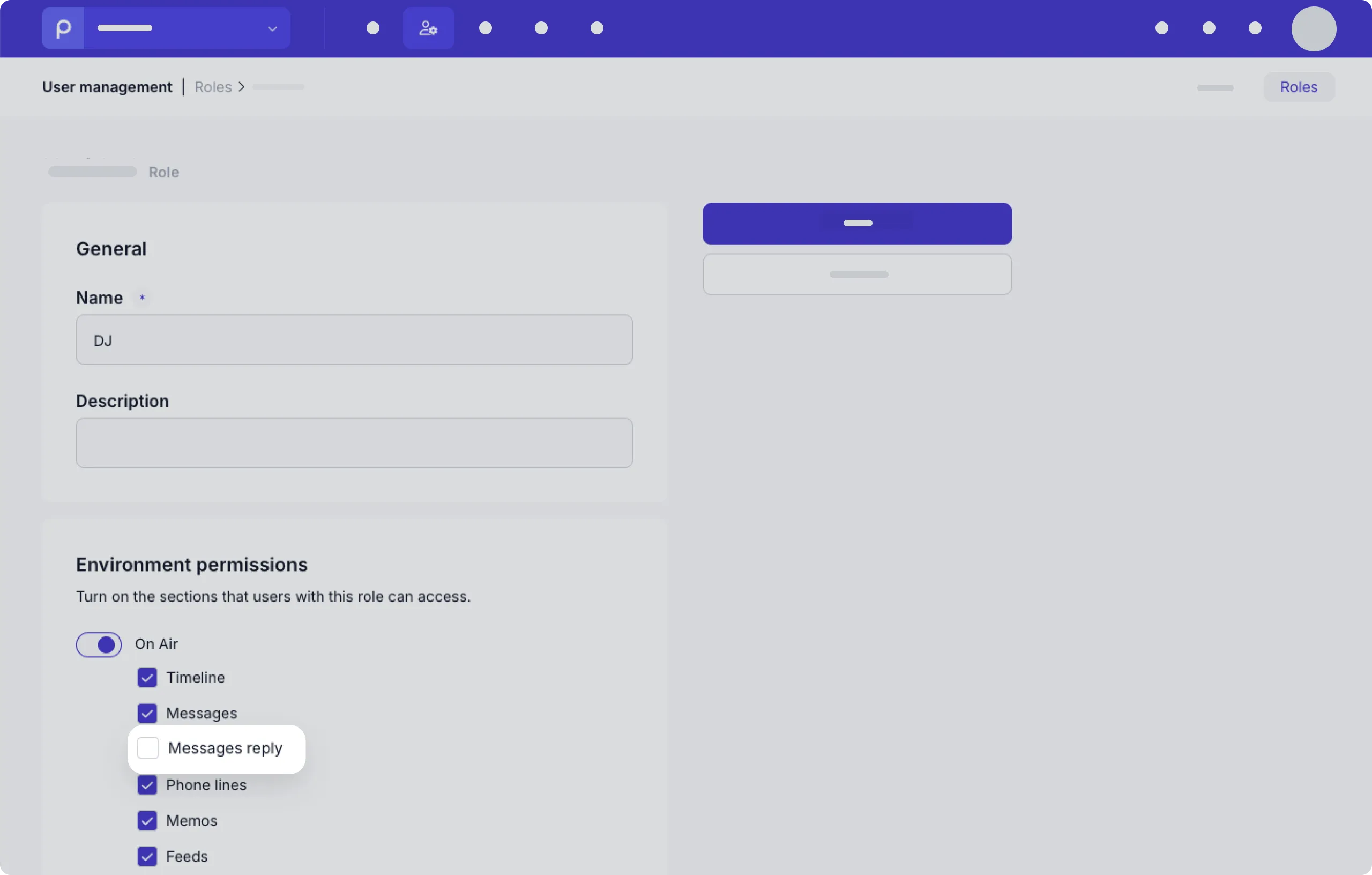
To manage this permission, go to a role detail page and enable or disable Messages reply.
Manage winner details faster and more consistently
Adding winners is now faster and more consistent across Prepr. Whether you add a winner from the timeline, prize detail page, winner list, or profile page, you now see all relevant fields upfront.
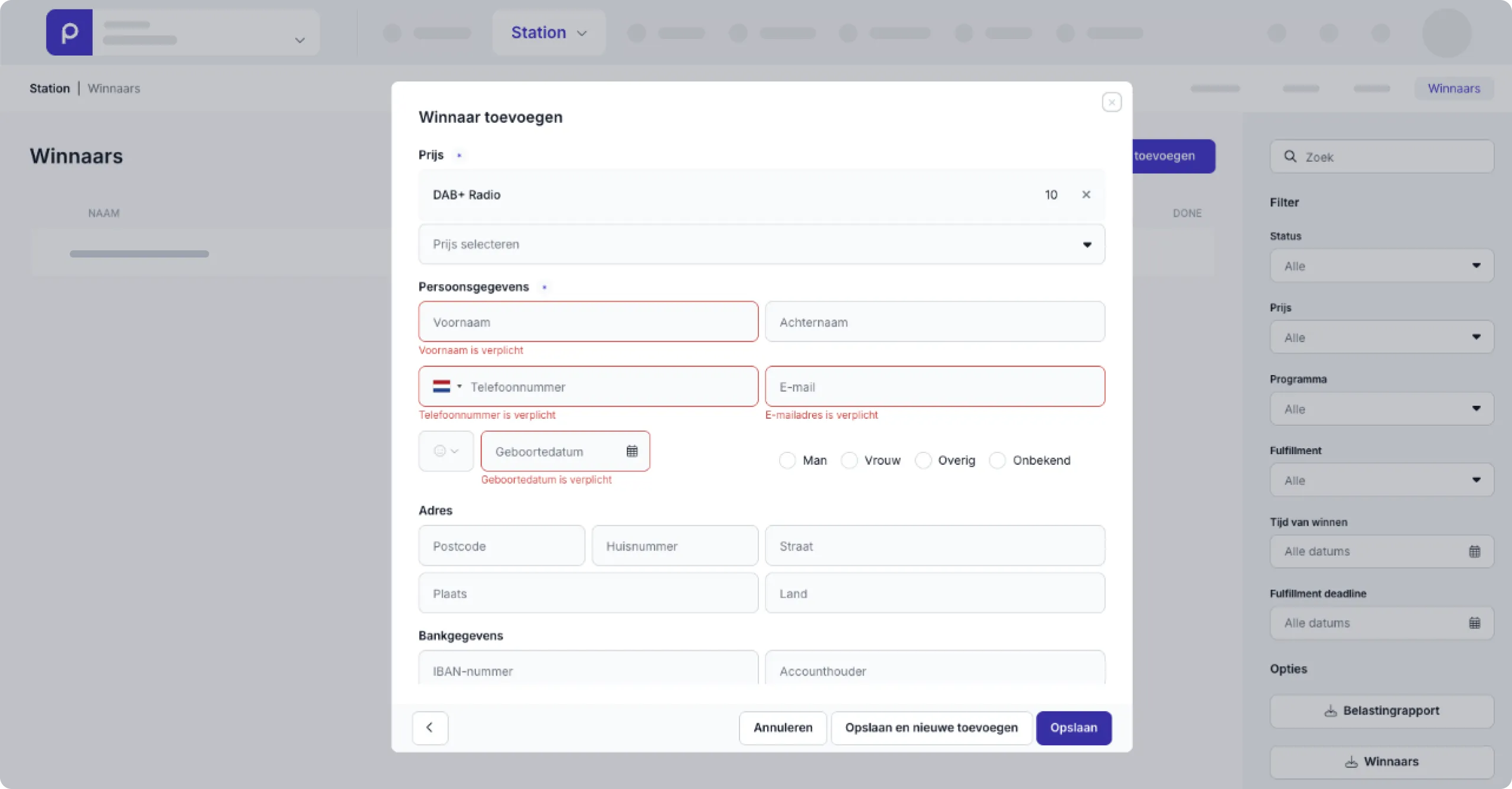
Required fields are automatically validated, while optional information can be added at the same time. This makes it easier to capture complete winner details in one go, without extra steps.
Keep your search when adding a winner
Adding a new winner is now quicker when the person doesn’t already have a profile. When you search for a winner and choose Add winner, your original search is automatically carried over.
There’s no need to enter the name, phone number, or email address again, saving time and reducing duplicate work.
Save changes without scrolling
The input screen now has a fixed height, keeping the Save button visible at all times. You no longer need to scroll to save your changes, making it easier to complete forms and reducing the risk of accidentally closing the screen before saving.
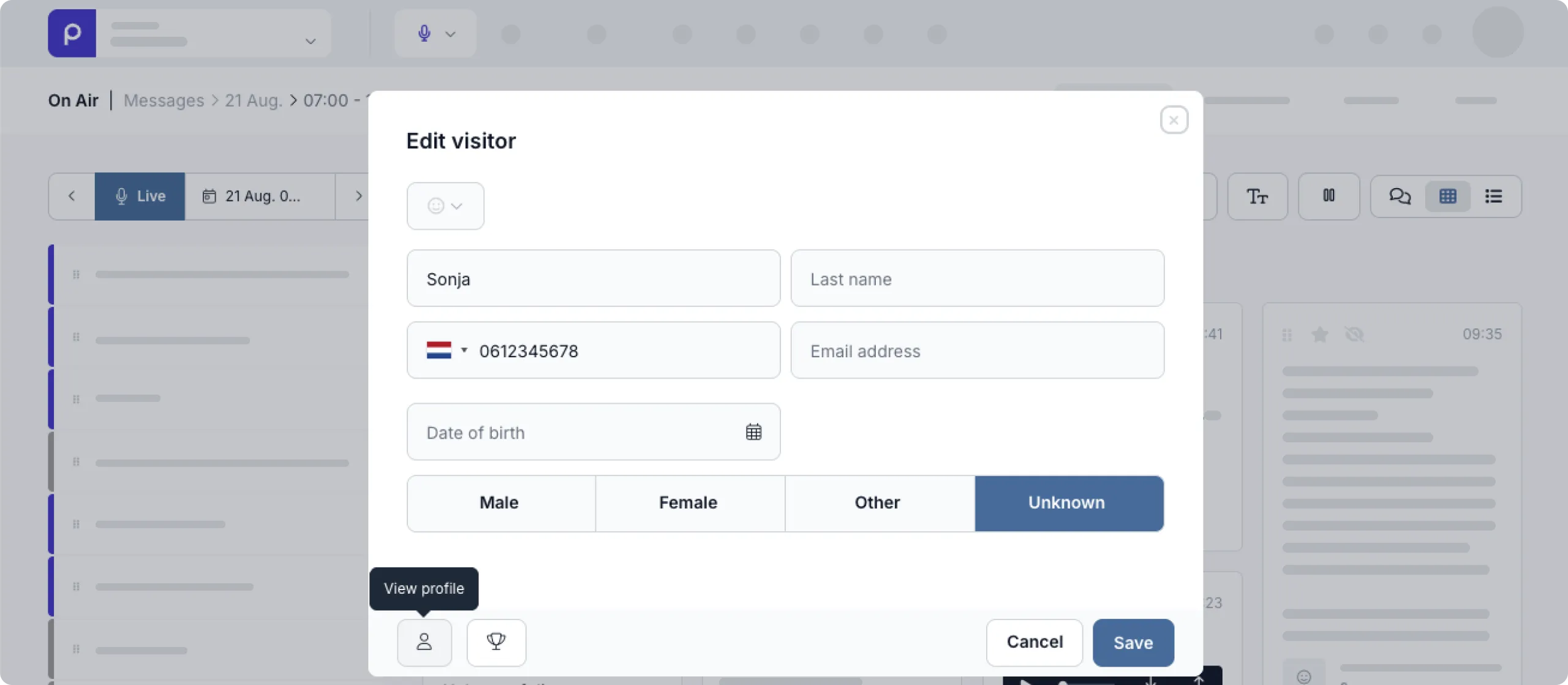
Access profiles directly from winner details
Managing winner information is now more convenient. From any location where you edit a winner, you can now open their full profile directly. No need to navigate back through lists or switch between tabs. All profile details are just one click away.
A clearer, more complete profile page
The profile page has been redesigned to make information easier to find and manage. Personal details such as name, address, and date of birth are now neatly organized in the sidebar.
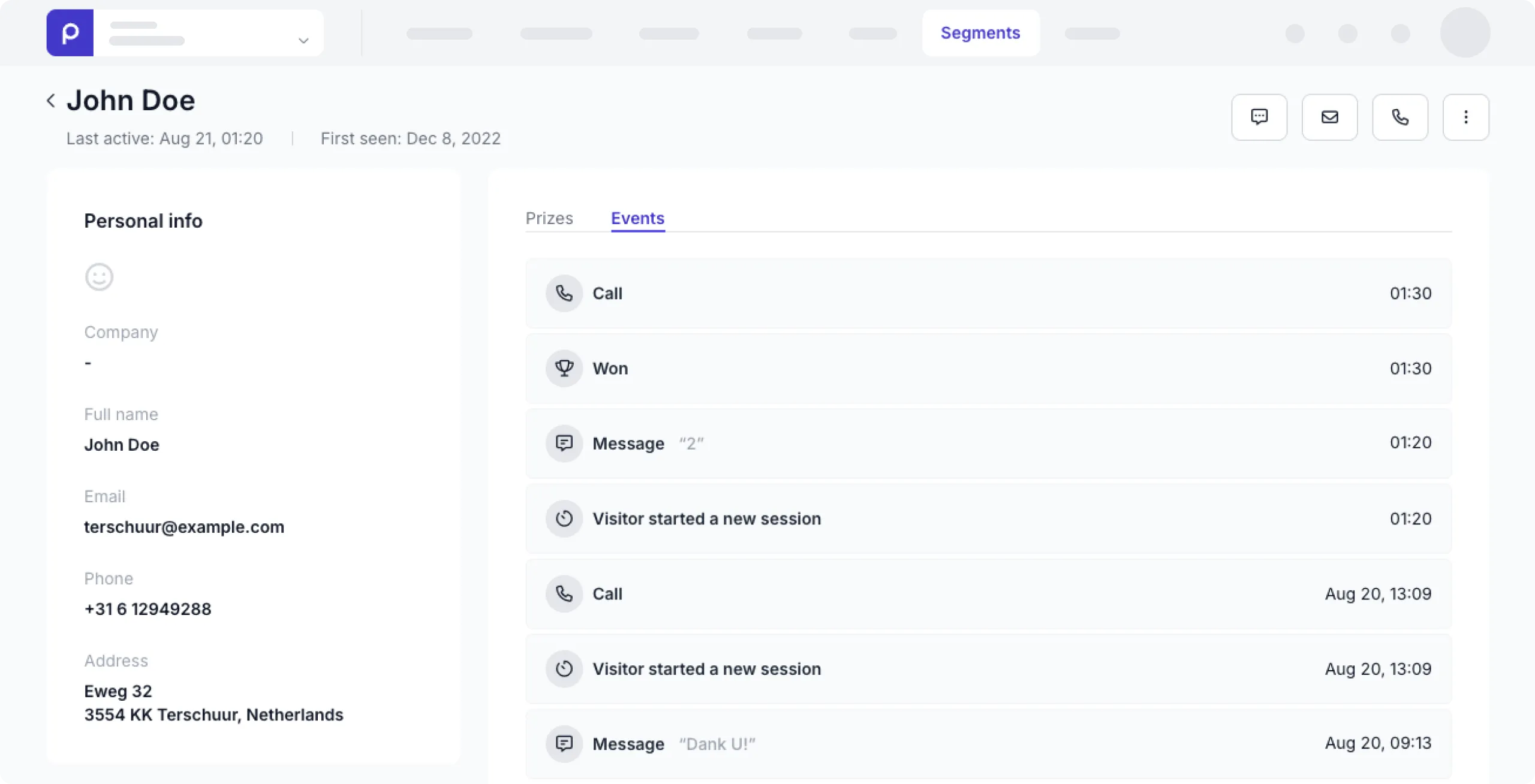
If your Prepr environment is connected to your website, the Identification tab provides additional website visitor data. The Events tab gives you a complete overview of interactions, including phone calls and messages.
Manage prizes directly from the profile
Managing prizes is now easier with all relevant options available directly from the profile page. You can add prizes, update prize statuses, and manually exclude someone from participation or change their exclusion date, without leaving the profile.
Contact listeners directly from their profile
Getting in touch with a listener is now faster and more convenient. From the profile page, you can now:
- Send a message if the listener has previously contacted Prepr via SMS or WhatsApp.
- Send an email using your own email client when an email address is available.
- Start a phone call directly from the profile when a phone number is available and a Phone integration is enabled.

Everything you need to contact a listener is now available from one place, without switching between profiles, messages, or phone tabs.
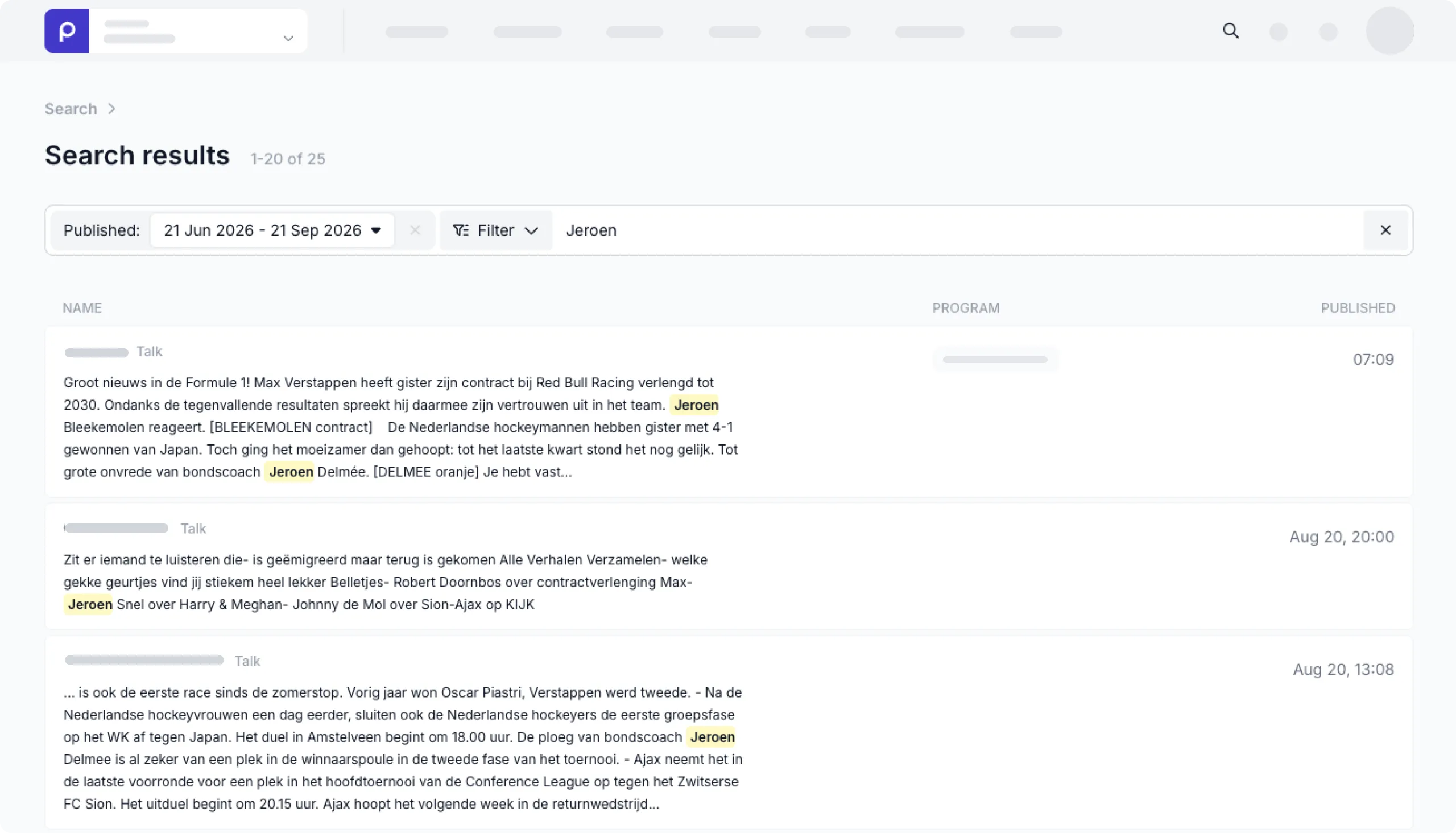
A clearer search experience
The search results page has been redesigned to make results easier to scan and information quicker to find. The updated layout provides a clearer and more consistent search experience across Prepr.
Extra authentication required for winner data
To better protect sensitive winner data, such as names and addresses, additional authentication is now required for users with access to this information. When logging in, you must use either two-factor authentication (2FA) or a Passkey.
Please enable 2FA or a Passkey as soon as possible to maintain access to your account. Without one of these additional authentication methods, you will no longer be able to log in. This extra layer of security helps keep both your account and the sensitive data you have access to better protected.